
A Developer’s Guide to Using a Virtual Staging API
A virtual staging API gives you the power to programmatically add realistic furniture and decor into photos of empty rooms. Think of it as a direct line for your app to automate creating beautifully staged photos at scale, slashing the high costs and logistical headaches of traditional physical staging. It's a seriously effective tool for making properties look their absolute best online.
Why a Virtual Staging API Is a Must-Have for Real Estate Tech
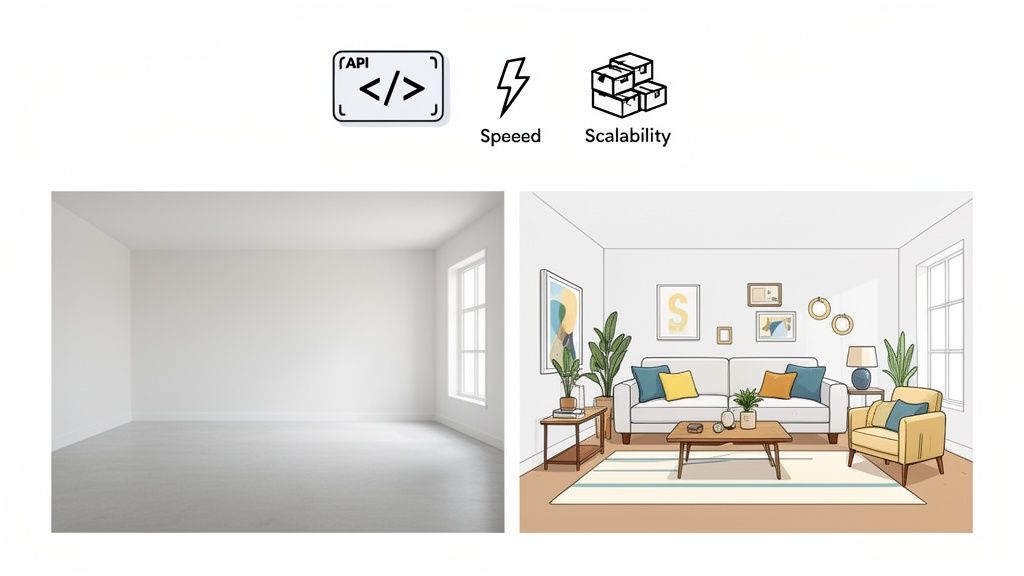
The real estate world has gone digital-first, and virtual staging APIs are at the heart of this shift. This isn't just about dropping a digital sofa into a picture; it's about delivering speed, scale, and cost savings that old-school methods can't touch. For any platform in the real estate space, integrating an API like Decor8 AI's has become essential to stay competitive.
Forget about coordinating movers, renting furniture, and scheduling photographers for a physical staging that can drag on for weeks. With an API, you can get a perfectly staged room back in seconds. This means you can instantly generate multiple design concepts for the same listing, appealing to different buyer preferences without any extra cost.
The Soaring Demand for Automated Visuals
The numbers don't lie. The market for online home staging, especially services powered by AI Virtual Staging, is booming. A forecast from Worldwide Market Reports shows the sector is set to rocket from USD 1.2 billion in 2026 to an incredible USD 3.6 billion by 2033, growing at a compound annual rate of 17.8%.
What's driving this? A clear demand for immersive, affordable property showcases that get results. In fact, well-staged homes can cut a listing's time on the market by up to 73%.
By automating the visual merchandising of properties, a virtual staging API gives platforms a high-value service that directly boosts an agent's bottom line through faster sales and better offers.
Before we dive in, it’s worth taking a moment to see the core features you should expect from a quality API.
Core Features of a Virtual Staging API at a Glance
This table breaks down the key functionalities of a virtual staging API, giving you a quick snapshot of what to look for and the impact it can have on your business.
Feature | Description | Business Impact |
|---|---|---|
Instant Staging | Generate fully furnished images from empty room photos in seconds. | Drastically reduces turnaround times from days to seconds, allowing for immediate marketing. |
Style & Color Options | Access a wide library of design styles (e.g., Modern, Scandinavian) and color palettes. | Offers personalization and caters to diverse buyer tastes, increasing property appeal. |
High-Resolution Output | Delivers print-quality images suitable for MLS, brochures, and online listings. | Ensures a professional, high-end presentation across all marketing channels. |
Scalability | Process thousands of images simultaneously without performance degradation. | Enables large-scale operations for property portals or enterprise clients. |
SDKs & Documentation | Provides easy-to-use SDKs (Python, JS) and clear documentation for smooth integration. | Reduces development time and costs, accelerating time-to-market for new features. |
With these capabilities, you can build a truly compelling visual experience for your users.
This guide will walk you through the practical steps of integrating Decor8 AI's virtual staging API into your application. We'll cover everything from getting authenticated and making your first call to fine-tuning designs with advanced parameters. By the end, you'll have the know-how to build powerful visual features that give your users an edge. Understanding how AI transforms real estate listings is the first step—now, let's get into the technical details.
Your First API Call and Authentication
Diving into a new API can sometimes feel a bit overwhelming, but getting the Decor8 AI virtual staging API up and running is surprisingly straightforward. Let's walk through your first successful API call, focusing on the most important first step: authentication.
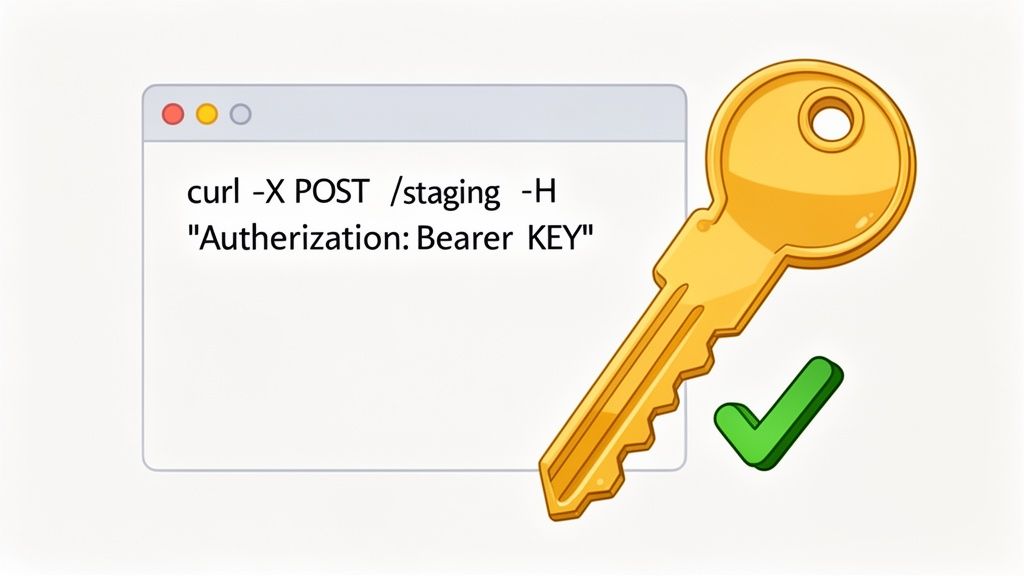
The whole process boils down to one thing: your API key. This key is your personal, secure credential that tells our servers any request is coming from you. Think of it as the passkey that unlocks all the AI Virtual Staging features for your application.
Getting and Securing Your API Key
First things first, you'll need to grab your unique API key from the Decor8 AI account dashboard. Once you have it, protect it like a password. You should never expose it in client-side code (like a public JavaScript file) or check it into a version control system like Git.
Here are a couple of solid, industry-standard ways to handle your key:
Environment Variables: This is the go-to method for most developers. Store the key as an environment variable on your server, which keeps it completely separate from your codebase.
Secrets Management Tools: If you're building a larger, more complex application, look into a dedicated service like AWS Secrets Manager or HashiCorp Vault. These tools are built for securely managing credentials at scale.
If you're new to this, it might be helpful to brush up on the basics. Taking a few minutes for understanding the fundamentals of REST APIs can make the next steps click into place much faster.
Making Your First Request with cURL
The fastest way to see if everything works is with a command-line tool like cURL. It lets you test your key and make a real request without writing a single line of application code. You just need to send an HTTP POST request to our endpoint, including your API key in the authorization header.
We use a common standard called a Bearer Token for authentication.
Here’s a simple cURL command you can copy and paste. Just be sure to replace with your actual key and with the real path to an empty room photo on your computer.
curl -X POST "https://api.decor8.ai/v1/virtual-staging" -H "Authorization: Bearer YOUR_API_KEY" -F "image=@/path/to/your/image.jpg" -F "style=modern" -F "room_type=living_room"
When you run that command, our server should instantly fire back a JSON object. A successful response confirms that your key is valid and you're ready to go.
Key Takeaway: Getting a response with a JSON body from this cURL command is your green light. It proves your API key and authentication are working perfectly, and you can confidently start building the API into your project.
What to Expect in the JSON Response
When you make a successful call, you don't get the staged image back right away. AI Interior Design takes a moment to work its magic. Instead, you'll get a JSON response confirming that we've received your request and started the job.
A typical success response will look something like this:
{ "status": "processing", "job_id": "a1b2c3d4-e5f6-7890-g1h2-i3j4k5l6m7n8", "message": "Your image is being staged. Check back shortly."}
The most critical piece of information here is the . You'll need this unique ID to make a second API call to check the status and grab your finished, beautifully staged image.
For a deeper dive into all the available endpoints and parameters, the official documentation is your best friend. You can find everything you need right here: https://www.decor8.ai/api/ai-virtual-staging-api. This is the foundation you'll use to build out more advanced, automated workflows.
Integrating with Python, JavaScript, and Dart SDKs
While you can absolutely make direct HTTP requests to understand the nuts and bolts of our virtual staging API, it means writing a lot of boilerplate code for authentication, formatting requests, and handling responses. When you're ready to build faster, Software Development Kits (SDKs) are your best friend. They take care of all the low-level details so you can focus on building a great experience for your users.
We offer official SDKs for Python, JavaScript, and Dart—three of the most popular languages for modern web and mobile development. Each SDK is a purpose-built library that wraps the API's functionality into simple, intuitive functions. Forget about manually constructing headers and multipart form data; with an SDK, you can stage an image with just a few lines of clean, readable code.
This approach not only gets you up and running faster but also makes your code less error-prone and much easier to maintain down the line. Let's dig into how to use these powerful tools.
SDK vs Direct HTTP: Which Should You Choose?
Deciding between an SDK and direct API calls really comes down to your project's needs. For most people, an SDK is the clear winner because it’s simpler and baked with best practices. However, direct HTTP calls give you ultimate control and are essential if you're working in a language we don't have a dedicated SDK for yet.
This is a timely decision to make. The virtual staging market is growing incredibly fast, estimated to hit USD 800 million in 2025 and projected to soar past USD 1.5 billion by 2033 with a 15% CAGR. This boom is fueled by how easily APIs and SDKs can be integrated into existing real estate platforms. North America and Europe, holding over 65% market share, are leading the charge as developers use these tools to slash staging costs by up to 90% compared to traditional methods. You can dive deeper into this growth in this detailed virtual staging solution report.
To help you decide, let's compare the two approaches side-by-side.
SDK vs Direct HTTP API Integration Comparison
This table breaks down the main differences to help you pick the right integration path for your application.
Factor | SDK Integration (Python, JS, Dart) | Direct HTTP API Integration |
|---|---|---|
Development Speed | Much faster. Pre-built functions for common tasks reduce coding time significantly. | Slower. Requires manual implementation of authentication, requests, and error handling. |
Code Complexity | Low. The SDK abstracts away complex HTTP logic, resulting in cleaner code. | High. You are responsible for managing every detail of the API interaction. |
Maintenance | Easier. Updates to the API are often handled by simply updating the SDK package. | Harder. You must manually update your code to adapt to any API changes. |
Best For | Rapid prototyping, production applications, and developers using supported languages. | Niche languages without an official SDK, or when absolute control over requests is needed. |
For the vast majority of projects, the benefits of using an SDK are undeniable. They are designed to get you from an idea to a production-ready feature with minimal friction.
A Practical Python Example
Python is a powerhouse for backend development, data processing, and scripting, which makes it a natural fit for automating virtual staging workflows. Our Python SDK makes the whole process a breeze.
First, you’ll need to install the package using pip:
Once that's done, using it in your project is straightforward. Just initialize the client with your API key and call the function with your image path and a few parameters. The SDK handles the authentication and file upload behind the scenes.
Here’s a quick example of how you might stage a modern living room:
import decor8ai
Initialize the client with your API key
client = decor8ai.Client(api_key="YOUR_API_KEY")
try: # Call the staging function job = client.stage_image( image_path="path/to/empty-room.jpg", style="Modern", room_type="Living Room" ) print(f"Staging job started with ID: {job.job_id}")
# You can then use the job_id to check status and retrieve the result
result_image = client.get_result(job.job_id)
result_image.save("staged-living-room.jpg")
print("Staged image saved successfully!")
except decor8ai.APIError as e: print(f"An error occurred: {e}")
This snippet shows the core workflow: initialize, request, and retrieve. Plus, the SDK’s built-in error handling helps make your application more robust right out of the box.
JavaScript for Web Applications
For web developers, our JavaScript SDK is the perfect tool for building dynamic applications, whether on the client or server side. It integrates seamlessly into a Node.js backend or a frontend framework like React or Vue.
You can install the package through npm:
In a Node.js environment, the logic looks a lot like the Python example. You'll import the library, create a client instance, and make your staging call. This is perfect for building a backend service that processes images uploaded by users on your website.
import { Decor8AIClient } from '@decor8ai/sdk';import fs from 'fs';
const client = new Decor8AIClient({ apiKey: 'YOUR_API_KEY' });
async function stageRoom() { try { const imageBuffer = fs.readFileSync('path/to/empty-bedroom.jpg'); const job = await client.virtualStaging.create({ image: imageBuffer, style: 'Scandinavian', roomType: 'Bedroom', });
console.log(`Job submitted: ${job.jobId}`);
// Add logic here to poll for the result using the jobId
} catch (error) { console.error('API Error:', error); }}
stageRoom();
Pro Tip: If you're building a frontend-heavy application, never expose your API key in your client-side code. The best practice is to route API requests through your own backend server. Your server can securely store the key and forward requests to the Decor8 AI virtual staging API, keeping your credentials safe.
For more hands-on examples and code snippets, be sure to check out our comprehensive AI Virtual Staging API developer resources, which provide in-depth guides for each SDK. Combining an SDK with a smart AI Home Design strategy can unlock incredibly powerful and scalable visual solutions.
Mastering API Parameters for Custom Designs
Your first successful API call is a huge win, but the real magic begins when you move beyond the default settings. This is where you go from just plopping furniture into a room to acting like a digital interior designer, crafting specific looks that truly connect with potential buyers. When you get a handle on the API's parameters, you gain precise control over every detail in the final image.
Think of these parameters as your creative toolkit. Instead of a generic "modern" room, you can dial in an exact color palette, tweak the amount of furniture, and even tell the AI to clear out old clutter before it starts designing. This is how a savvy real estate agent can spin up three totally different versions of the same living room—one Scandinavian, one Industrial, and one Coastal—in just a few minutes.
Defining the Look with Style and Color
The first parameters you'll want to play with are style and color. These are the fundamentals that set the mood and aesthetic, turning a blank canvas into a space someone can imagine living in.
Specifying Interior Design Styles: Most APIs come with a built-in menu of popular styles. You can pass values like , , , or to instantly furnish the room with a curated look. This is the fastest way to get a professional-looking AI Room Design.
Applying Custom Color Palettes: To take things a step further, you can define a specific color scheme. Forget just "blue"; you could specify a palette of navy, gold, and cream. This is perfect when you need an AI Home Décor that matches a property's branding or appeals to a particular type of buyer.
Controlling Furniture Density: Sometimes, less is absolutely more. A parameter lets you choose between options like , , and . A minimalist approach can make a small room feel huge, while filling up a large, empty space can make it feel much cozier and more welcoming.
By mixing and matching these, you can get incredibly specific. For example, you could request a style with an color palette and furniture density to create that warm, lived-in vibe perfect for a family home.
Advanced Features for a Polished Result
Beyond the basics, a powerful API gives you advanced features to solve real-world problems and add a layer of polish that makes your images pop. These are the tools that separate amateur results from professional-grade visuals.
One of the most impactful features is custom prompting. This lets you talk to the AI in plain English to fine-tune the output. Instead of just picking a style, you can add a prompt like, "with a large sectional sofa, a marble coffee table, and pampas grass decor." That level of granular control is a game-changer. For a deep dive into this, you can learn more about the Decor8 AI virtual staging API with custom prompting and see what's possible.
A common headache is a room that isn't perfectly empty. An API with a clutter removal feature is a lifesaver here. You can run an initial call to zap away stray boxes or old furniture, then feed that cleaned-up image into your staging request. It’s a simple two-step process for a flawless result.
Other advanced parameters to look for include:
Image Upscaling: Automatically boost the final image resolution so it’s crystal-clear for high-end marketing materials or large displays.
Seasonal Themes: Add timely decor like a Christmas tree or autumnal touches to make a listing feel fresh and relevant.
Lighting Adjustments: Some APIs let you control the lighting with settings like or to nail the perfect mood.
A Real-World Customization Scenario
Let's put this into practice. Imagine you're building a feature for a real estate platform. An agent uploads a photo of an empty, slightly dark condo living room. Your app needs to generate three different concepts to attract a wider range of buyers.
Here’s how you could use the API parameters to automate it:
Option 1: The Young Professional: Your first API call specifies the style as , the color palette as , and density as . You add a custom prompt: "include a sleek black leather sofa and a metal-frame bookshelf."
Option 2: The Eco-Conscious Buyer: The next call uses the style with a color palette. The prompt might be "add lots of indoor plants and natural light," and you'd use a lighting parameter to brighten the scene.
Option 3: The Luxury Seeker: The final call requests a style with a palette, prompted with "feature a velvet sofa, gold fixtures, and a large piece of abstract art."
In seconds, your application delivers three distinct, high-quality staging options. This is the kind of powerful, automated tool that makes a modern real estate platform indispensable. By digging into the API parameters, you unlock the full creative potential to deliver stunning, hyper-relevant designs for any property.
Automating Workflows and Production Best Practices
Moving your virtual staging API integration from a test environment into the real world is a major step. It’s no longer about just getting a single API call to work; it's about building a solid, scalable system that can handle real users and real demand without a hitch. This means you need to think about high volume, automating everything you can, and locking down your workflow from start to finish.
A huge part of this is automation. Think about a real estate agent uploading a dozen photos for a new property. In a production-ready system, they shouldn't have to do anything else. The system should automatically see those new images, send them to the API for staging, and pop the finished results right back into the agent's dashboard—all without a single manual click. To pull this off well, a solid grasp of CI/CD is crucial. This guide on understanding CI/CD pipelines is a great place to start.
Essential Production Best Practices
Once your application goes live, reliability is everything. Your users expect a seamless experience, which means your integration has to be tough enough to handle hiccups. This is where graceful error handling comes in—it's absolutely non-negotiable. Your code must be smart enough to catch and manage things like network timeouts or invalid image uploads without bringing the whole system down.
It's also critical to be a good steward of the API itself. Here are a few must-dos for any production environment:
Secure Your API Keys: Never, ever hardcode API keys directly in your code. The best practice is to use environment variables or a dedicated service like AWS Secrets Manager or HashiCorp Vault. This keeps your credentials safe and out of sight.
Respect Rate Limits: Pay close attention to the API's rate limits. A smart move is to build exponential backoff logic into your code. If a request fails, your system will automatically wait a bit before trying again, which keeps you from getting temporarily blocked for sending too many requests at once.
Use Asynchronous Processing: Don't make your users wait. When someone uploads an image, process it in the background so your app stays fast and responsive. You can give the user an immediate confirmation and then use a webhook or a polling system to let them know when their AI Home Design is ready.
This diagram breaks down the customization flow, which is a core part of building any automated system.
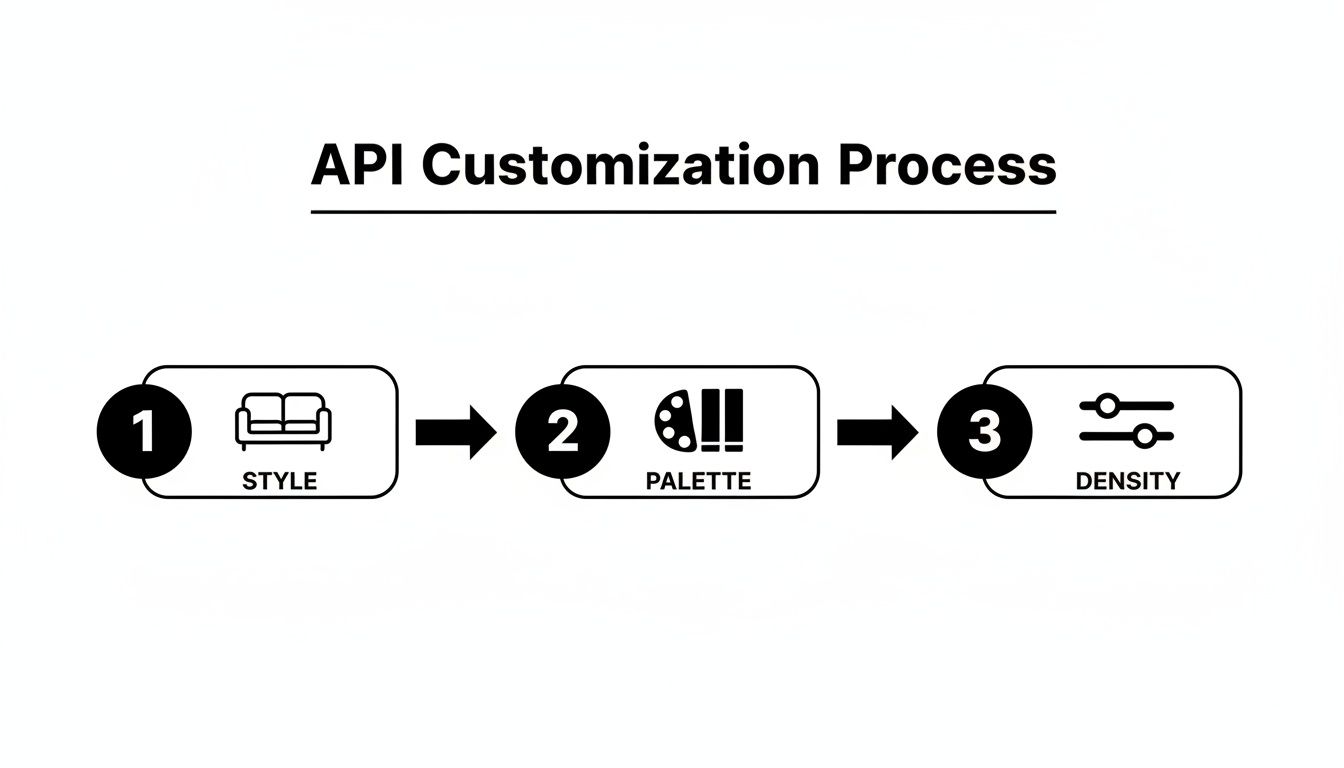
You can see how different parameters like style, color palette, and furniture density come together to create a unique result. Getting this right is what makes scalable automation truly powerful.
Scaling Your Automated Workflow
As your platform gets more popular, the number of API calls will naturally increase. The market for this kind of software is growing fast—at a 10.5% CAGR, with the U.S. market alone making up 40% of that. Why? Because the cost savings are huge. API-based staging can be 90% cheaper than traditional physical staging, which can cost around $3,000 on average.
To handle this growth without breaking a sweat, design your workflow around a job queue. When a new staging request comes in, don't process it immediately. Instead, add it to a queue (using something like RabbitMQ or AWS SQS). You can then have separate worker processes that pull jobs from that queue and make the API calls. This simple change decouples the request from the processing, making it way easier to handle sudden traffic spikes.
By mixing secure key management, smart error handling, and a scalable queue system, you can build a truly production-grade application. If you're still looking at different providers, our guide on the https://www.decor8.ai/post/top-apis-for-virtual-staging-integration offers a helpful comparison. Following these practices will ensure your service is fast, reliable, and ready to scale with your business.
Questions That Pop Up When Integrating the API
Even the most thorough guide can't cover every single question that might come up while you're in the middle of coding. Let's tackle some of the most common questions and roadblocks developers hit when integrating a virtual staging API. My goal here is to give you quick, practical answers so you can solve problems fast and get back to what you do best—building.
What Kind of Images Get the Best Results?
For truly impressive AI Virtual Staging, you need to feed the API good-quality images. Think high-resolution—at least 1920px on the longest side, in either JPEG or PNG format. The best shots are taken from a good vantage point, like a corner or doorway, to show off the whole room.
Make sure the room is empty and has plenty of light. Photos that are blurry, warped, or filled with harsh shadows will just confuse the AI. This can mess with how it places furniture and renders the lighting, which is the key to getting a professional-looking result.
How Does the API Know What Kind of Room It's Staging?
Our Decor8 AI Virtual Staging API is smart enough to identify all sorts of rooms, whether it's a living room, bedroom, kitchen, or even a home office. You can give it a big hint by specifying the room type (like or ) as a parameter in your API call.
This little piece of context makes a huge difference. Tell the API it's a kitchen, and it will know to place items on countertops and suggest fitting cabinet styles. For a bedroom, it will naturally focus on beds, nightstands, and other appropriate decor. It's all about making the final AI Home Design feel right for the space.
A Pro Tip From Experience: Simply telling the API the correct room type is one of the easiest wins you can get. It dramatically improves the quality and relevance of the staging, saving you a lot of trial and error.
Can I Stage a Room That Isn't Empty?
Absolutely. You can definitely redesign a room that already has furniture in it. Most modern virtual staging APIs, including ours, come with a "furniture removal" or "clutter removal" feature built right in.
It's usually a two-step dance. First, you hit the removal endpoint with your image to get a clean, empty version of the room back. Then, you take that new empty room photo and use it as the starting point for your virtual staging request. This lets you do a complete AI Room Design makeover from scratch.
What Happens if I Get Stuck During Integration?
We know things can get tricky when you're working with a new API. That's why Decor8 AI offers a full support system for developers using our virtual staging API.
Here’s what you have at your disposal:
In-depth API Documentation: It's packed with code snippets, clear parameter descriptions, and all the endpoint details you'll need.
Official SDKs: We have them on GitHub and PyPI to make your life easier when working with Python, JavaScript, or Dart.
A Dedicated Support Channel: If you run into a wall, our technical team is here to help you work through specific challenges and share best practices.
The documentation is always the best place to start, but don't hesitate to reach out. We want to see your project succeed.
Ready to build the next big thing in real estate tech? With the Decor8 AI virtual staging API, you can add powerful, automated design features to your app in just a few minutes. Give it a try for free and see for yourself how simple it is to create stunning visuals that are ready for any listing.
Comments