
The 12 Best Online Interior Design Tools for Every Project in 2026
Planning a room refresh or a full-scale renovation? The right online interior design tools can turn your vision into a concrete plan, saving you time, money, and costly mistakes. Gone are the days of relying solely on mood boards and paint swatches. Today’s digital toolkits offer everything from AI-powered redesigns that generate concepts in seconds to professional-grade 3D modeling software for detailed construction planning.
This guide cuts through the noise. We have categorized and reviewed the 12 best tools to help you find the perfect match for your project. Whether you're a homeowner, a real estate agent, a professional designer, or a developer, there's a solution here for you. We cover a wide range of platforms, from simple AI home décor apps for quick inspiration to powerful virtual staging software for real estate listings, and even APIs for custom integrations. Whether you're embarking on a full home redesign or simply exploring how to arrange furniture in small bedroom, online interior design tools provide the visual power you need.
Our goal is to help you find the best platform for your specific needs quickly and efficiently. Each review gets straight to the point, detailing:
Who it’s for: The ideal user for each tool.
Key features and limitations: An honest look at what works and what doesn't.
Pricing: Clear information on costs to help you budget.
Practical use cases: Real-world examples of how to use the software.
We provide screenshots and direct links for every tool, so you can see them in action and get started right away. Let's find the perfect tool to bring your ideas to life.
1. Decor8 AI
Decor8 AI stands out as a powerful, all-in-one platform among online interior design tools, bridging the gap between simple DIY apps and professional-grade software. It excels at transforming a single room photo into multiple, photorealistic design concepts in seconds, making it an indispensable tool for rapid visualization. Whether you're a homeowner exploring new styles or a real estate agent preparing a listing, the platform delivers high-quality results with minimal effort.
Its comprehensive feature set consolidates the work of several different applications into one streamlined workflow. The platform’s AI Interior Design capabilities are both intuitive and flexible, allowing users to choose from over 50 curated styles or use natural language prompts for custom designs. This versatility makes it ideal for anyone looking to quickly test ideas, from modern minimalist aesthetics to cozy traditional layouts.
Key Features & Use Cases
Virtual Staging & Redesign: The platform’s AI Virtual Staging is a game-changer for real estate professionals. It can remove existing clutter and furniture, then stage the space with photorealistic assets that include accurate lighting, shadows, and even reflections in mirrors.
Color Visualization: Eliminate guesswork by testing paint and cabinet colors directly on your photo. Decor8 AI integrates official palettes from Benjamin Moore, Sherwin-Williams, and Behr, or you can input a custom HEX code for precise matching.
Sketch-to-3D Rendering: Architects and designers can upload a simple floor plan sketch and convert it into a polished 3D perspective or isometric rendering, perfect for client presentations.
Developer Integrations: A key differentiator is its robust API and SDKs (Python, JavaScript, Dart). Businesses can integrate Decor8 AI’s functionality directly into their own websites or applications using plugins for WordPress, Wix, and Bubble.
Why It Stands Out
Decor8 AI’s primary strength is its fusion of speed, realism, and accessibility. It operates seamlessly across web browsers, iPhone, and Android, with projects syncing to the cloud. This cross-platform approach ensures you can work from anywhere. While the output quality depends on the source image, the tool’s advanced rendering engine produces visuals that are often ready for marketing with little to no post-production.
Pricing: You can "start free" to test the platform. Full access to advanced features, high-resolution exports, and API usage requires a subscription, with separate pricing tiers for individual users and developers.
Best For: Homeowners, real estate professionals, designers, and developers who need a fast, reliable, and scalable tool for high-quality AI Room Design and virtual staging.
Website: https://www.decor8.ai
2. Floorplanner
Floorplanner excels as a browser-based tool for creating detailed 2D and 3D floor plans with impressive speed and ease. It's a fantastic starting point for anyone from homeowners mapping out a new furniture layout to real estate professionals needing a quick visual representation of a property. The platform allows you to draw rooms from scratch or upload an existing image to trace, then populate the space with items from its extensive library of furniture and materials.
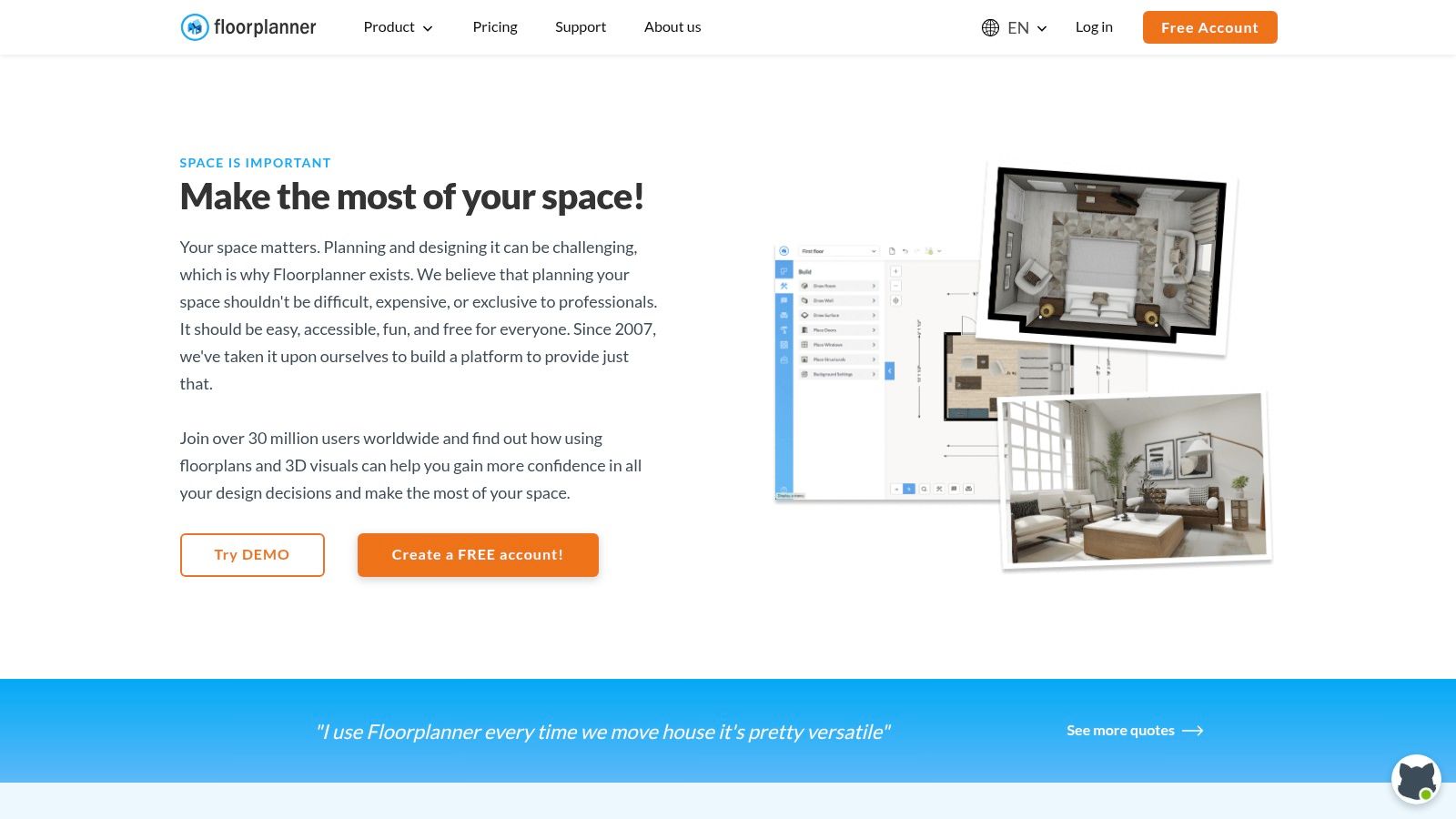
What sets Floorplanner apart among online interior design tools is its flexible, credit-based system. While the free tier is generous enough for basic projects, you can purchase credits to upgrade specific outputs, like generating a high-resolution 4K render or a 3D tour, without committing to a monthly subscription. This pay-as-you-go model is ideal for one-off projects or occasional use in your AI home design workflow.
Key Features & Use Cases
Target Audience: Homeowners, DIY decorators, real estate agents, and casual designers.
Best For: Creating accurate 2D floor plans and quickly converting them into simple 3D models for visualization. It is excellent for space planning and furniture arrangement.
Pricing Model: A free basic plan with project limitations is available. Paid plans start at $5/month (billed annually) for more projects and features. Credits can be purchased separately for premium exports (HD, 4K, 8K renders) and tours.
Practical Tip: Use the "Magic Layout" feature to quickly auto-furnish a room with a plausible layout, which you can then refine to your taste. This saves significant time when you need a starting point.
Pros | Cons |
|---|---|
Very intuitive drag-and-drop interface. | High-quality exports require credits or a subscription. |
Large library of furniture and decor items. | Free version includes watermarks on exports. |
Flexible credit system for premium features. | Advanced collaboration tools are for paid tiers only. |
Website: https://floorplanner.com
3. Foyr Neo
Foyr Neo is a powerful, end-to-end online interior design tool created specifically for professional designers. It operates entirely within your browser, handling everything from 2D floor plans and 3D modeling to stunningly fast, photorealistic cloud rendering. This cloud-based approach means you don't need an expensive, high-end computer to produce professional-grade visuals, making it accessible to a wider range of users.
What makes Foyr Neo stand out is its all-in-one workflow and speed. Designers can go from a blank canvas to a high-quality render in hours, not days. The platform includes a massive library of over 60,000 pre-modeled 3D items and leverages AI-powered features to streamline the design process. Its emphasis on cloud rendering frees up your local machine and delivers results with impressive efficiency.
Key Features & Use Cases
Target Audience: Interior designers, architects, and design students.
Best For: Creating comprehensive design projects from concept to client presentation, including high-quality 3D renders and walkthroughs without needing powerful hardware. It excels as an AI room design tool for professionals.
Pricing Model: Offers a 14-day free trial. Paid plans start at $44/month (billed annually) and scale up with more features, render credits, and team collaboration options.
Practical Tip: Use the AI-powered features to get a head start on lighting and material selection. The system can suggest optimal settings, which you can then fine-tune to match your creative vision perfectly.
Pros | Cons |
|---|---|
Extremely fast cloud rendering saves significant time. | Render-credit model can add costs if you exceed your monthly quota. |
Runs in a browser, requiring minimal computer hardware. | The best experience is on a desktop; mobile functionality is limited. |
Large library of 60,000+ ready-to-use 3D models. | Steeper learning curve compared to simpler, consumer-focused tools. |
Website: https://foyr.com/neo
4. HomeByMe
HomeByMe is a comprehensive 3D planning tool that empowers users to design, furnish, and visualize their homes with impressive photorealism. It bridges the gap between simple floor planners and complex professional software, offering a robust, user-friendly platform for creating detailed interior spaces. The tool features an extensive catalog of real, branded furniture and decor items, allowing you to design with actual products you can purchase.
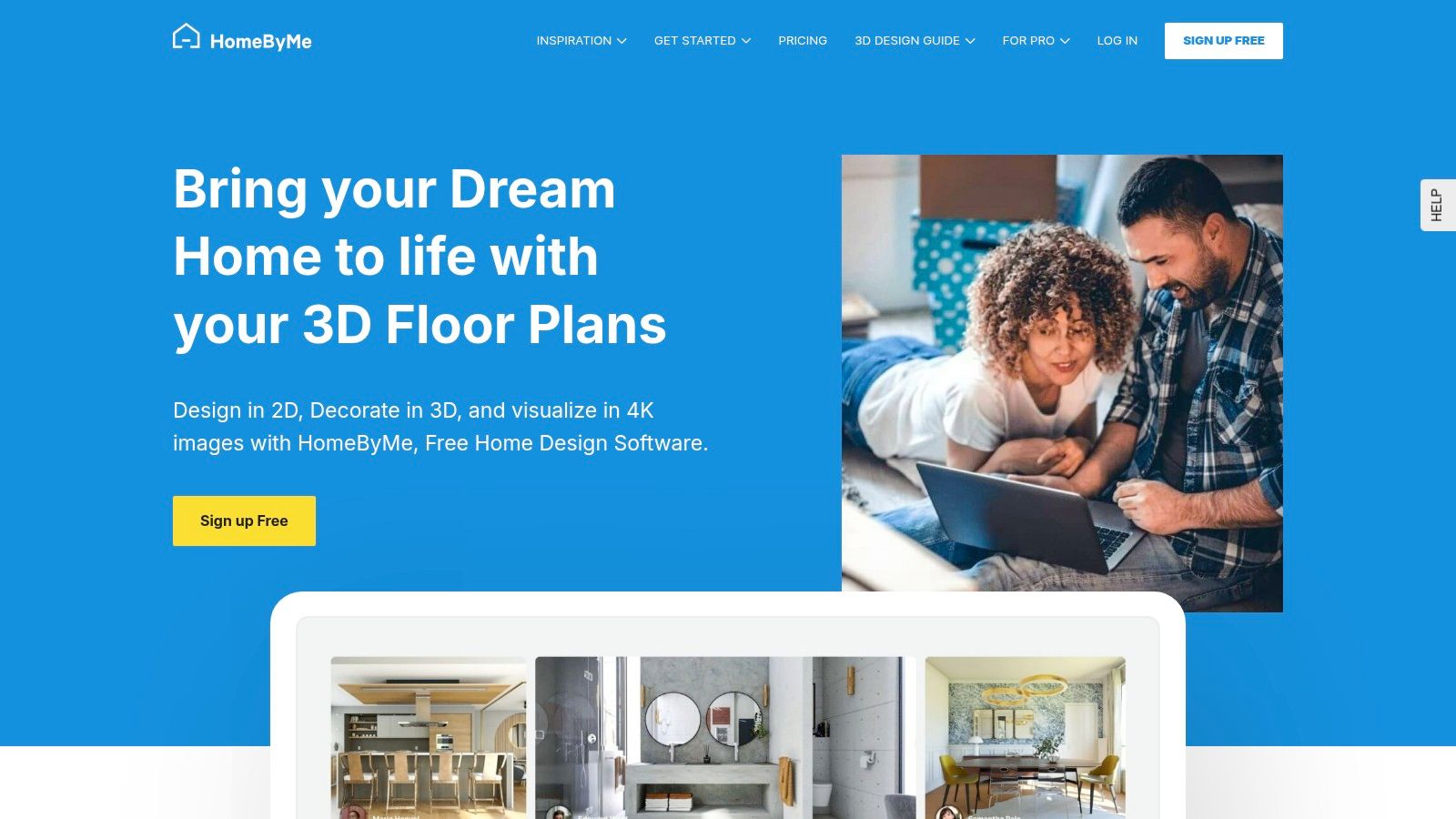
What truly distinguishes HomeByMe among other online interior design tools is its focus on high-quality visual outputs and optional professional services. While many platforms offer basic renders, HomeByMe allows users to generate stunning, photorealistic 4K images and 360° views of their AI home design projects. For those who need extra help, the platform provides paid services like floor plan creation from a sketch or full interior design assistance from professionals, making it a flexible solution for various needs and skill levels.
Key Features & Use Cases
Target Audience: Homeowners, DIY enthusiasts, and semi-professional designers looking for high-quality visualizations.
Best For: Creating photorealistic renders and 360° tours of finished rooms. It is ideal for those who want to experiment with real-world products in their virtual space.
Pricing Model: A free plan allows for a few projects and standard-quality renders. A subscription plan is available for unlimited projects and more monthly HD images. High-quality 4K renders and other professional services are available as one-off purchases.
Practical Tip: Before committing to a large purchase, find the specific furniture item in HomeByMe's branded catalog. Placing it in your virtual room provides an excellent preview of its scale and style.
Pros | Cons |
|---|---|
Excellent photorealistic rendering capabilities. | High-quality 4K renders require separate purchases. |
Large catalog of real, branded furniture and decor. | The free version has significant limitations on projects and outputs. |
Optional paid services for professional design help. | User interface can be less intuitive than simpler tools. |
Website: https://home.by.me
5. Homestyler
Homestyler stands out as a powerful, web-based platform that brings professional-grade rendering and AI-assisted features to a broad audience. It allows users to create detailed 2D and 3D floor plans, but its real strength lies in its high-quality visualization capabilities. With support for advanced lighting, custom 3D models, and ultra-high-resolution renders, it's one of the most robust online interior design tools for creating photorealistic images.
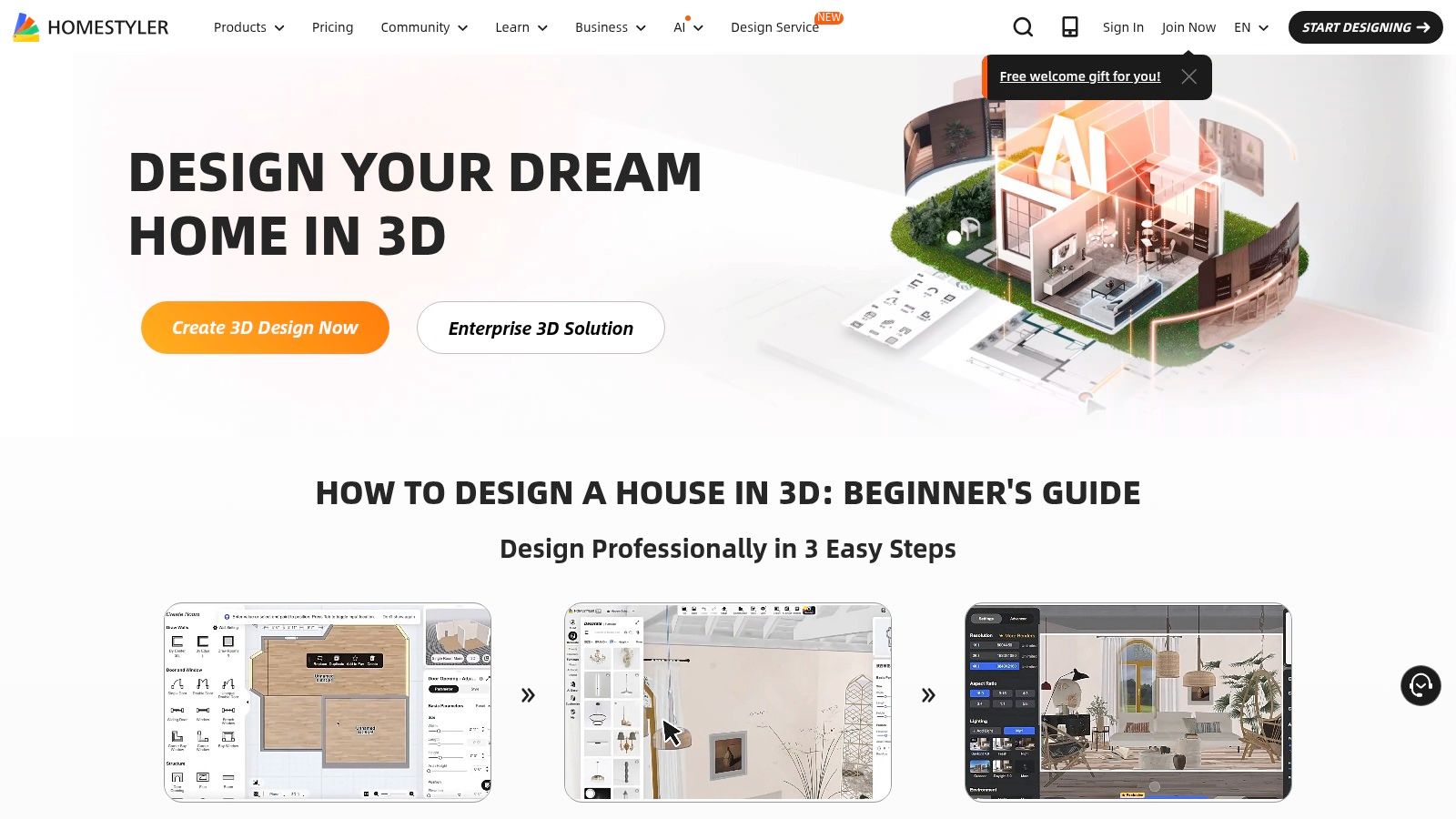
What makes Homestyler a top choice is its ability to scale from casual hobbyists to professional design teams. The free version is highly capable, while paid plans introduce an AI Home Design "Copilot," more rendering credits, and team collaboration features. This tiered approach, combined with its powerful rendering engine capable of producing up to 12K panoramic views, makes it a versatile tool for nearly any design project.
Key Features & Use Cases
Target Audience: Homeowners, professional interior designers, real estate marketers, and architectural firms.
Best For: Creating stunning, photorealistic 3D renders and virtual tours without needing complex desktop software. Its AI features also streamline the creative process.
Pricing Model: Offers a generous free plan. Paid plans start at $4.9/month (billed annually) and include more rendering credits, AI features, and higher-resolution outputs.
Practical Tip: Leverage the "Lightmix" feature after a render is complete. It allows you to adjust the brightness and color temperature of individual lights in your scene without having to re-render the entire image, saving significant time.
Pros | Cons |
|---|---|
Aggressive pricing for powerful rendering. | Some high-res renders and videos incur add-on fees. |
Scales from casual users to teams and enterprises. | Interface depth can present a learning curve for beginners. |
Large library and supports custom 3D models. | The free plan has limitations on render quality and speed. |
Website: https://www.homestyler.com
6. RoomSketcher
RoomSketcher is a powerful and approachable app for creating everything from precise 2D floor plans to stunning, photorealistic 3D photos and interactive 360° views. It bridges the gap between simple DIY tools and professional-grade software, allowing users to draw plans with exact measurements, furnish them from an extensive product library, and generate high-quality visuals. The platform is particularly user-friendly, with strong documentation to guide new users.
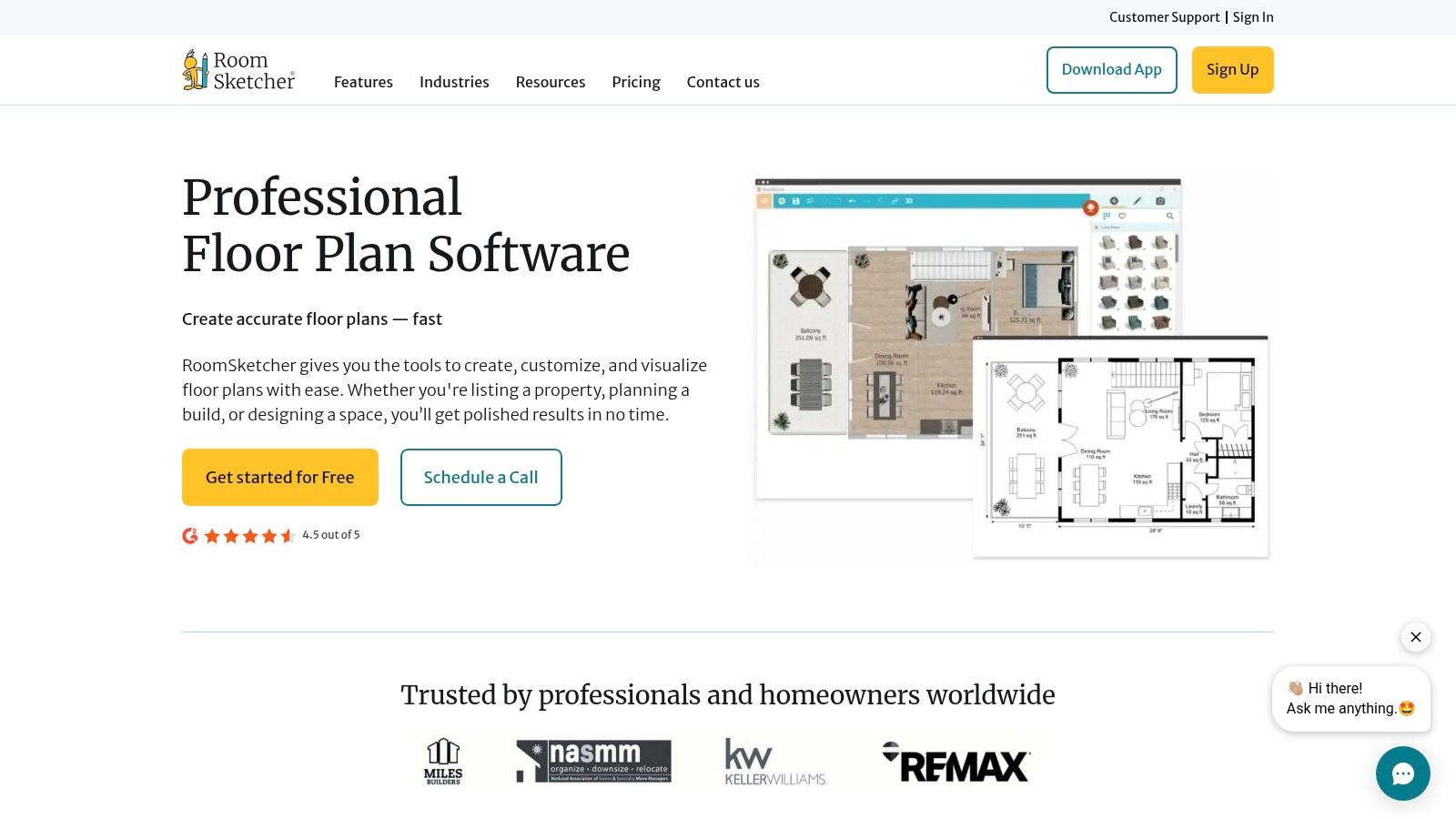
What makes RoomSketcher a standout among online interior design tools is its flexible access model. Users can work on projects for free and then choose how to pay for premium outputs. You can buy credits on a pay-as-you-go basis to generate a single high-resolution render or 360° view, or opt for a subscription if you have ongoing project needs. This caters to both one-off home renovators looking for AI home décor ideas and busy real estate professionals.
Key Features & Use Cases
Target Audience: Homeowners, interior design professionals, real estate agents, and property developers.
Best For: Creating detailed, measured floor plans and generating high-impact marketing visuals like 3D photos and 360° tours for real estate listings or client presentations.
Pricing Model: A free plan lets you draw and furnish. Premium features and high-quality outputs are unlocked via Credits (pay-as-you-go) or through Pro and Team subscriptions starting at $99/year.
Practical Tip: Before committing to a full render, use the integrated camera tool to take unlimited low-resolution "snapshots" inside your 3D model. This lets you perfect your camera angles and lighting for free before spending credits on the final, high-quality output.
Pros | Cons |
|---|---|
Transparent credit and per-render pricing for occasional users. | Some outputs and Live 3D are gated behind credits or subscriptions. |
Strong documentation and learning resources. | Best value is at Pro/Team levels for recurring users. |
High-quality photorealistic 3D renders and 360° views. | The interface can feel more complex than simpler, game-like apps. |
Website: https://www.roomsketcher.com
7. IKEA Kreativ (IKEA Planners / IKEA app)
IKEA Kreativ is a free, powerful suite of AI-powered room design tools built directly into the IKEA app and website, making it incredibly accessible for anyone planning to furnish their space with IKEA products. Its standout feature is the ability to scan your room using your phone's camera, which then creates a 3D replica. From there, you can virtually erase your existing furniture and experiment with new, accurately scaled IKEA items to see exactly how they will fit and look in your home.
What makes IKEA Kreativ one of the most practical online interior design tools is its seamless integration with the shopping experience. Every product you add to your virtual room can be directly added to your shopping cart, bridging the gap between design and purchase. This AI home design tool is perfect for visualizing a complete room makeover before committing to any purchases, ensuring that every piece works together in your actual space.
Key Features & Use Cases
Target Audience: Homeowners, renters, and DIY decorators on a budget who plan to shop at IKEA.
Best For: Visualizing IKEA furniture in your own home with accurate scale and placement. It is especially useful for planning entire room layouts and ensuring furniture fits before you buy.
Pricing Model: Completely free to use through the IKEA app and website.
Practical Tip: Start by scanning your room with the mobile app for the most realistic foundation. You can then save your project and refine the details, like specific product combinations and lighting, on a desktop computer for a more comfortable design experience.
Pros | Cons |
|---|---|
Completely free and integrated with IKEA's product catalog. | Limited to placing only IKEA furniture and decor items. |
AI-powered room scan creates a realistic 3D model of your space. | The kitchen planner is a separate, more complex tool. |
Easily add visualized items directly to your shopping cart. | Not all IKEA products are available in the Kreativ tool yet. |
Website: https://www.ikea.com/us/en/planners/
8. SketchUp
SketchUp is an industry-standard 3D modeling platform that bridges the gap between simple sketching and professional architectural design. Renowned for its intuitive push-pull interface, it allows users to create detailed 3D models of anything from a single piece of furniture to an entire building. Its flexibility makes it a powerful tool for interior designers who need precise control over every aspect of their virtual space.

What truly sets SketchUp apart is its massive ecosystem. The 3D Warehouse provides access to millions of free, pre-built models (from sofas to kitchen appliances), saving countless hours. Furthermore, its extensive plugin library allows users to add powerful photorealistic rendering engines and other specialized tools, transforming a basic model into a stunning, client-ready visualization. This scalability makes it one of the most versatile online interior design tools available for any AI room design project.
Key Features & Use Cases
Target Audience: Architects, interior designers, landscape architects, and serious hobbyists.
Best For: Creating highly detailed and customized 3D models, technical drawings, and photorealistic renders (with plugins). It is ideal for bespoke designs and professional presentations.
Pricing Model: Offers a free, web-based version with limited features. Paid plans (Go, Pro, Studio) start at $119/year and unlock desktop apps, AR viewers, and advanced capabilities.
Practical Tip: Leverage the 3D Warehouse extensively in your initial design phases. Instead of modeling every chair and lamp from scratch, find existing models to quickly populate your scene for scale and layout planning.
Pros | Cons |
|---|---|
Mature, industry-standard tool with a large community. | The learning curve is steeper than simpler drag-and-drop tools. |
Massive 3D Warehouse with millions of free models. | Photorealistic rendering requires third-party plugins. |
Highly flexible, with versions for web, iPad, and desktop. | Subscription pricing model may not suit occasional users. |
Website: https://www.sketchup.com
9. Chief Architect / Home Designer (Chief Architect family)
The Chief Architect software family, including its consumer-focused Home Designer line, moves beyond simple decoration into the realm of construction-aware design. This powerful desktop software is for users who need to think about the "bones" of a space, not just the furniture within it. It allows for the creation of detailed architectural plans, from foundations and framing to intricate cabinetry and electrical layouts, making it a professional-grade tool for serious remodeling projects.
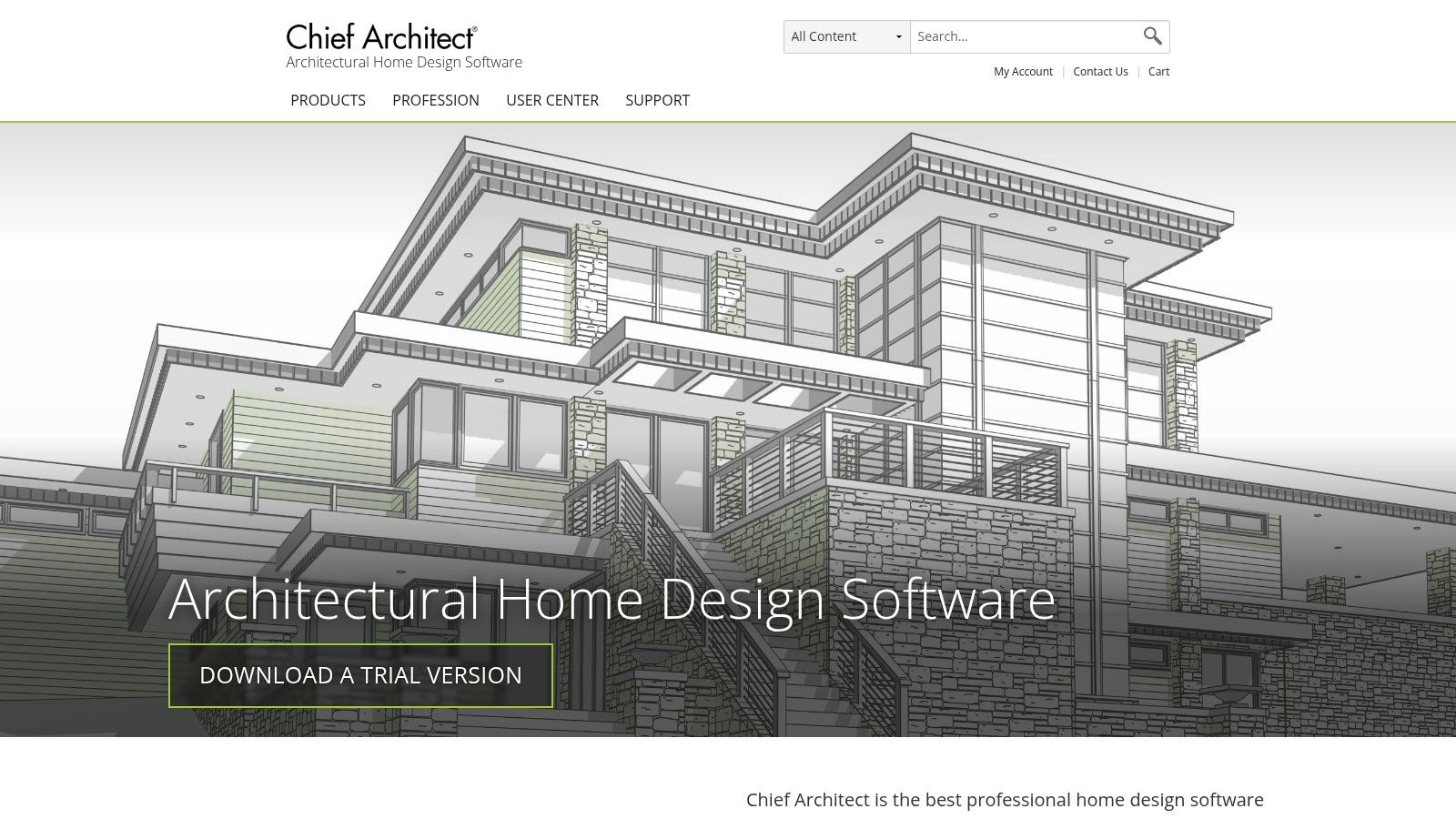
What distinguishes this software among online interior design tools is its parametric, object-based approach. When you place a window, the software understands how it affects the wall framing. This "building-smart" intelligence extends to creating complex roof systems and generating construction documents. Its high-quality ray-traced rendering engine produces photorealistic images and 360-degree panoramas, providing a clear vision of the final AI home design.
Key Features & Use Cases
Target Audience: Contractors, builders, architects, kitchen and bath designers, and serious DIY renovators.
Best For: Detailed kitchen and bath remodeling, new home construction planning, and generating professional construction documents. It's ideal for projects where structural accuracy is critical.
Pricing Model: Home Designer products can be purchased for a one-time fee (starting around $129). The professional Chief Architect Premier software is available via a monthly subscription ($199/month) or for purchase.
Practical Tip: Leverage the extensive library of training videos and articles provided by Chief Architect. The software is deep, and spending time in their learning center will dramatically shorten the learning curve and help you unlock its most powerful features.
Pros | Cons |
|---|---|
AEC-grade tools for accurate construction documents. | Steeper learning curve than casual design apps. |
Powerful parametric cabinetry and building tools. | Higher cost and may be overkill for simple room layout. |
Extensive training resources and U.S.-based support. | Desktop software, not a purely browser-based tool. |
Website: https://www.chiefarchitect.com
10. Cedreo
Cedreo is a comprehensive, browser-based 3D home design software tailored for professionals like builders, remodelers, and interior designers. It streamlines the entire process from creating 2D floor plans to generating photorealistic 3D renderings, enabling users to present complete project visuals to clients in a fraction of the time. The platform's strength lies in its speed, allowing for the rapid creation of entire home designs, both interior and exterior, complete with furnishings and landscaping.
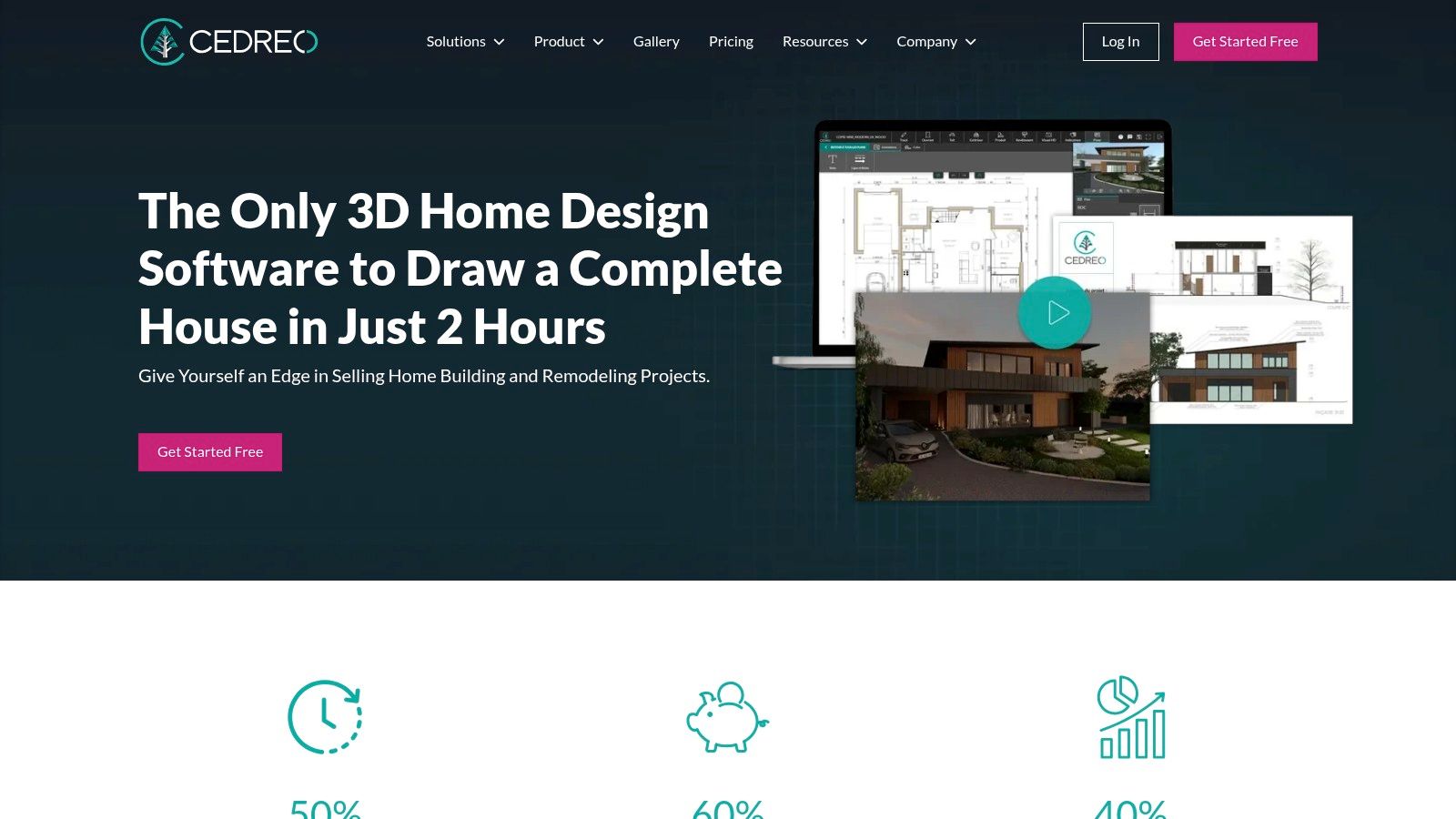
What makes Cedreo one of the more powerful online interior design tools for its target audience is its all-in-one, cloud-based workflow. Professionals can draw from scratch or trace existing plans, furnish the space using an extensive catalog, and receive high-quality renders from the cloud in about five minutes. This quick turnaround is invaluable for sales presentations and client meetings, helping to secure projects faster by providing a clear, compelling vision of the final AI home design result.
Key Features & Use Cases
Target Audience: Home builders, contractors, remodelers, and professional interior designers.
Best For: Quickly creating complete 2D and 3D home project proposals, including both interior and exterior views, to present to clients. Its speed is ideal for sales-focused design presentations.
Pricing Model: A limited free plan is available (1 project, 5 renders). Paid plans offer more projects, unlimited renders, and an expanded product library, starting from $119/month per user.
Practical Tip: Leverage the plan tracing feature by uploading a client's existing blueprint (JPG, PNG, or DWG) to rapidly create an accurate 3D model, saving significant time on the initial setup.
Pros | Cons |
|---|---|
Extremely fast concept-to-render workflow. | Free plan is quite limited in scope. |
100% online, requiring no software installation. | Subscription tiers have restrictions on downgrading. |
Professional-grade renderings suitable for client proposals. | More expensive than tools aimed at homeowners. |
Website: https://cedreo.com
11. Wayfair Decorify / Muse (Wayfair Next)
Wayfair Decorify is an AI-powered tool that transforms the inspiration phase into a direct shopping experience. Instead of offering complex floor planning, it allows users to upload a photo of their room and instantly see it redesigned in various styles. Each AI-generated image is fully shoppable, linking directly to Wayfair's extensive U.S. product catalog, effectively closing the gap between seeing a design you love and being able to purchase it.
What makes this tool unique among online interior design tools is its tight integration with a massive retail ecosystem. It's not just for visualization; it's a practical AI Room Design utility built for action. Innovations like spatial computing support for Apple Vision Pro, which lets you see life-size 3D models of furniture in your space, and the Muse visual discovery tool further position it as a forward-thinking platform for the everyday consumer.
Key Features & Use Cases
Target Audience: Homeowners and DIY decorators looking for quick, shoppable inspiration.
Best For: Rapidly generating new style ideas for an existing room and immediately finding products to achieve the look, especially for U.S.-based shoppers.
Pricing Model: Completely free to use. Costs are incurred only when purchasing products through the Wayfair website.
Practical Tip: Use your Decorify-generated images as a visual shopping list. Even if you don't buy the exact items, they provide a perfect style and color palette guide for your project.
Pros | Cons |
|---|---|
Zero-cost tool for high-quality design inspiration. | Not a full CAD or floor-planning tool for precise layouts. |
Directly bridges the gap between inspiration and checkout. | Primarily serves the U.S. market and catalog. |
Integrates with emerging tech like spatial computing. | AR and 3D availability for specific items can vary over time. |
Website: https://wayfairnext.com/decorify
12. Space Designer 3D
Space Designer 3D offers a clean, browser-based experience for creating detailed 2D and 3D interior plans. It’s built for both individual homeowners and professional teams, providing a scalable solution that grows with project complexity. The platform allows users to draw layouts, furnish them from tiered catalogs, and generate shareable links for immersive 3D walkthroughs.
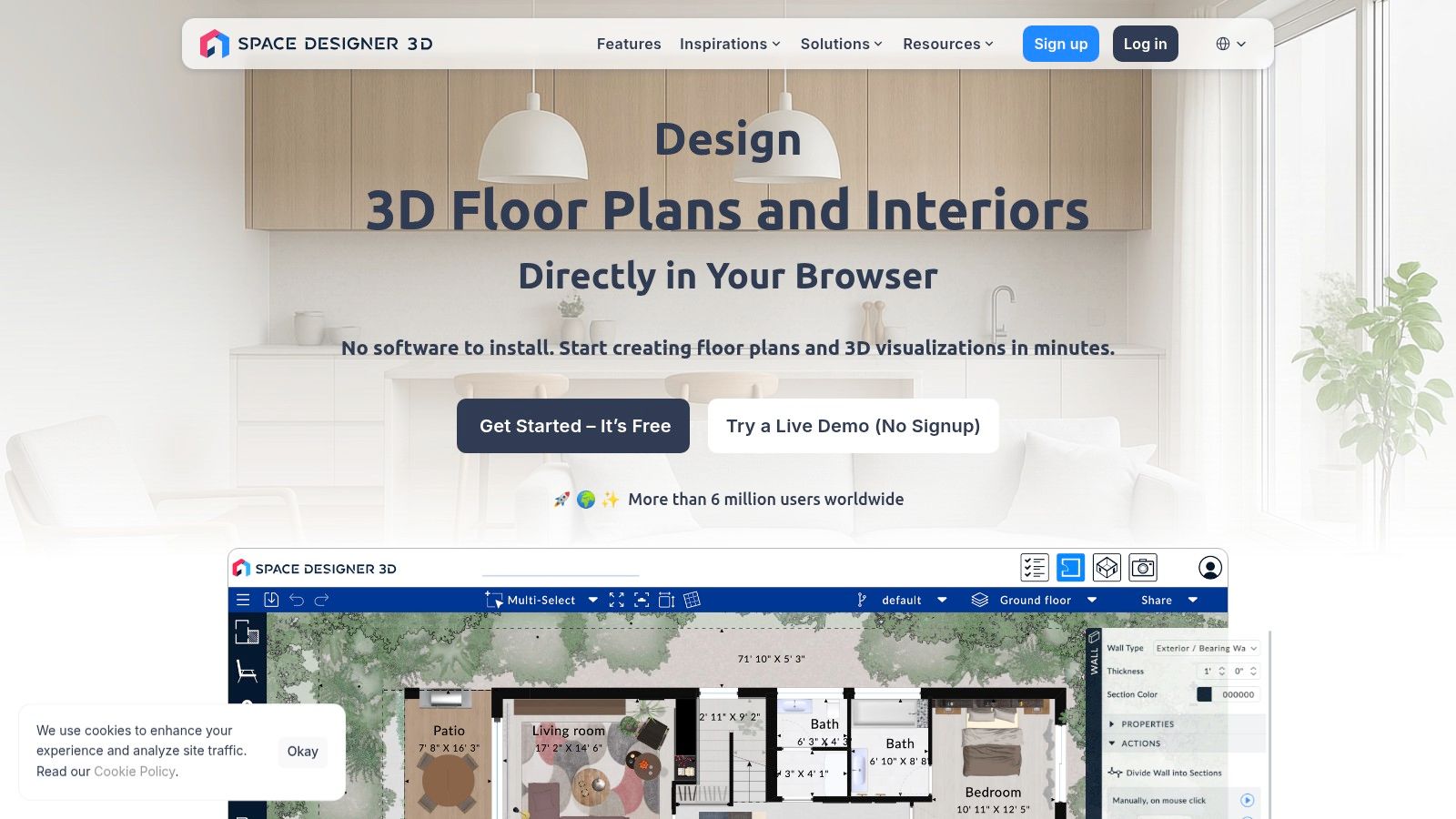
What makes this tool stand out is its balance between ease of use for novices and advanced export options for professionals, such as DXF and 3D model files (OBJ, FBX) on higher-tier plans. While a credit system for HD renderings is common among online interior design tools, Space Designer 3D’s enterprise-level options for API integration and white-labeling also make it a powerful choice for businesses. When visualizing an AI home design, it's also important to consider the final presentation; understanding why professional real estate photography is a must for faster sales can greatly enhance your project's impact.
Key Features & Use Cases
Target Audience: Homeowners, real estate agents, interior designers, and businesses seeking embeddable solutions.
Best For: Creating interactive 3D floor plans with shareable links and exporting technical files for professional use. It is a solid tool for visualizing everything from a simple room layout to a full property plan.
Pricing Model: Offers a free trial and several paid subscription tiers for individuals and teams, starting from basic plans to business-level solutions. Higher tiers unlock extended catalogs and advanced export formats. Credits are used for high-resolution renderings.
Practical Tip: Before committing to a plan, use the free trial to test the catalog and export options to ensure they meet your specific project needs. Pay close attention to which subscription tier unlocks the specific furniture or file types you require.
Pros | Cons |
|---|---|
Clean UI that is easy for novices to learn. | High-quality renderings require purchasing credits. |
Scales from free trials up to team and enterprise plans. | Starter plans have limits on catalogs and object resizing. |
Provides useful export options, including professional formats. | Pricing and plan details can vary, so verify current tiers on their site. |
Website: https://www.spacedesigner3d.com
Top 12 Online Interior Design Tools Comparison
Product | Core features | UX / Quality (★) | Price / Value (💰) | Target audience (👥) | Unique selling points (✨) |
|---|---|---|---|---|---|
Decor8 AI 🏆 | Photorealistic room redesigns; paint/cabinet color picker; clutter removal; sketch→3D; API/SDKs | ★★★★★ — instant, listing-ready renders | 💰 Start free; subscription for pro features; separate API pricing | 👥 Homeowners, agents, designers, developers | ✨ Single-photo photoreal edits; brand paint palettes; developer integrations |
Floorplanner | 2D→3D plans; large object library; tours | ★★★★ — easy onboarding, practical layouts | 💰 Free tier + credit-based HD/4K exports | 👥 DIYers, agents, space planners | ✨ Pay-as-you-need credits for one-off projects |
Foyr Neo | 2D planning, 3D modeling; cloud renders up to 12K; AR previews | ★★★★★ — very fast cloud renders | 💰 Subscription with render credits; pay if exceeded | 👥 Professional designers, studios | ✨ 12K cloud rendering + FoyrAR walkthroughs |
HomeByMe | 2D/3D editor; branded catalogs; 360° renders; pro services | ★★★★ — strong photoreal outputs | 💰 Free with paid add-ons for HD/4K & services | 👥 Consumers, pros seeking turnkey services | ✨ Optional done-for-you plans and MakeByMe furniture |
Homestyler | Multi-floor modeling; HDRI & lightmix; AI credits | ★★★★ — powerful renders, steeper learning | 💰 Aggressive pricing; some add-on fees | 👥 Hobbyists → teams | ✨ AI "Home Copilot" + custom texture/model uploads |
RoomSketcher | Precise floor plans; Live 3D; photoreal images & 360° | ★★★★ — approachable, well-documented | 💰 Transparent credits & Pro/Team subs | 👥 Occasional pros, realtors, DIYers | ✨ Clear pay-as-you-go renders and strong docs |
IKEA Kreativ (Planners) | Mobile room capture/scale; replace items; kitchen planner | ★★★ — zero-cost planning tied to IKEA catalog | 💰 Free; purchasable IKEA items | 👥 IKEA shoppers, budget-minded planners | ✨ Directly shoppable IKEA inventory & scaled planning |
SketchUp | Web/iPad/desktop modelers; 3D Warehouse; AR/XR; plugins | ★★★★★ — industry-standard, extensible | 💰 Tiered subscriptions (web → Pro/Studio) | 👥 Professionals, architects, modelers | ✨ Massive model library + plugin ecosystem |
Chief Architect / Home Designer | Parametric cabinetry, framing, construction tools; ray-traced renders | ★★★★★ — AEC-grade accuracy | 💰 Higher cost; monthly/annual subscriptions | 👥 Builders, architects, advanced remodelers | ✨ Construction-aware documentation + high-quality renders |
Cedreo | Browser-based floor plans → render; catalog; team sharing | ★★★★ — fast concept-to-render workflow | 💰 Free limited tier; paid plans for more projects | 👥 Builders, remodelers, designers | ✨ Quick proposal-ready renders and cloud workflow |
Wayfair Decorify / Muse | Upload photo → AI restyles; shoppable results; spatial computing | ★★★ — free inspiration tied to retail | 💰 Free; links to Wayfair purchases | 👥 Shoppers seeking shoppable inspiration | ✨ AI restyles directly linked to Wayfair catalog |
Space Designer 3D | 2D/3D/immersive views; exports (PNG/PDF/DXF); rendering credits | ★★★★ — clean UI, scalable exports | 💰 Subscription + monthly render credits | 👥 Novices → businesses needing embeds | ✨ Shareable links + varied export formats |
Choosing the Right Tool to Build Your Vision
Navigating the vast landscape of online interior design tools can feel as complex as designing a room from scratch. We've explored a dozen powerful platforms, from user-friendly DIY apps to professional-grade CAD software and advanced AI-powered systems. The journey from a blank canvas to a beautifully realized space is now more accessible than ever, but the key is selecting the right digital partner for your specific project.
Your choice ultimately hinges on a simple question: what are you trying to achieve? The ideal tool is not a one-size-fits-all solution; it is the one that best aligns with your goals, technical skills, and the scope of your vision.
Matching the Tool to Your Goal
Making a confident decision starts with self-assessment. Consider your primary objective and let it guide you to the right category of software.
For Quick, High-Quality Inspiration and Staging: If your goal is rapid visualization, exploring design styles without manual effort, or professionally staging a property for sale, your best bet is a generative AI platform. An AI Interior Design tool like Decor8 AI excels here, transforming a single photo into dozens of styled, photorealistic options in seconds. This is the path for real estate agents, marketers, and homeowners who value speed, quality, and creative exploration without a steep learning curve.
For Detailed Floor Plans and Structural Changes: If your project involves moving walls, planning plumbing, or creating precise construction-ready documents, you need a tool built on a foundation of technical accuracy. Software like SketchUp, Chief Architect, and Floorplanner offers the control and precision required for architectural planning. These platforms demand more time to master but provide unparalleled control over the structural elements of your design.
For Casual Planning and Shopping Integration: For the DIY decorator looking to visualize specific furniture in their space, brand-integrated tools are a perfect fit. IKEA Kreativ and Wayfair Decorify allow you to "try before you buy," bridging the gap between digital design and real-world purchasing. They make the process tangible by connecting your plans directly to shoppable products.
Key Factors for Your Final Decision
As you narrow down your options, weigh these practical considerations. They often make the difference between a frustrating experience and a seamless creative process.
Learning Curve vs. Control: How much time are you willing to invest in learning new software? Tools like Foyr Neo and Homestyler offer a balance of features and usability, while AI platforms offer almost instantaneous results. In contrast, SketchUp and Chief Architect provide maximum control but require a significant commitment to learn. Be honest about your patience and technical aptitude.
Project Complexity: Are you redesigning a single room or planning an entire home renovation? For a simple AI Room Design, a lightweight app may suffice. For a multi-story project with custom architectural features, you will need the robust capabilities of a program like Cedreo or RoomSketcher.
The Power of AI: The rise of AI Home Design has fundamentally changed the game. It automates the most time-consuming parts of the design process: selecting furniture, matching styles, and rendering realistic images. If your primary bottleneck is time or a lack of design confidence, an AI-driven tool can be a powerful creative accelerator, delivering professional-grade results that once required hours of manual work.
The perfect online interior design tool is out there waiting to bring your ideas to life. Whether you are a homeowner embarking on a weekend project, a real estate professional preparing a listing, or a developer integrating cutting-edge technology, the platforms we've covered offer a gateway to better design. By evaluating your needs against their strengths, you can choose with confidence and turn your vision into a stunning reality.
Ready to experience the future of design firsthand? Decor8 AI leverages the power of artificial intelligence to transform your photos into stunning, professionally styled interiors in seconds, making it one of the most efficient and powerful online interior design tools available today. Explore dozens of design possibilities and create your perfect space with just a few clicks at Decor8 AI.
Comments