
What Is Architectural Rendering A Visual Guide
Ever looked at a blueprint and struggled to imagine what the finished building would actually look like? That's a common problem, and it's exactly what architectural rendering solves.
Put simply, architectural rendering is the art of creating realistic, two-dimensional, or three-dimensional images from architectural plans. It's like a professional photoshoot for a building that doesn't exist yet, turning technical drawings into a vivid, understandable picture.
From Blueprint to Believable Vision
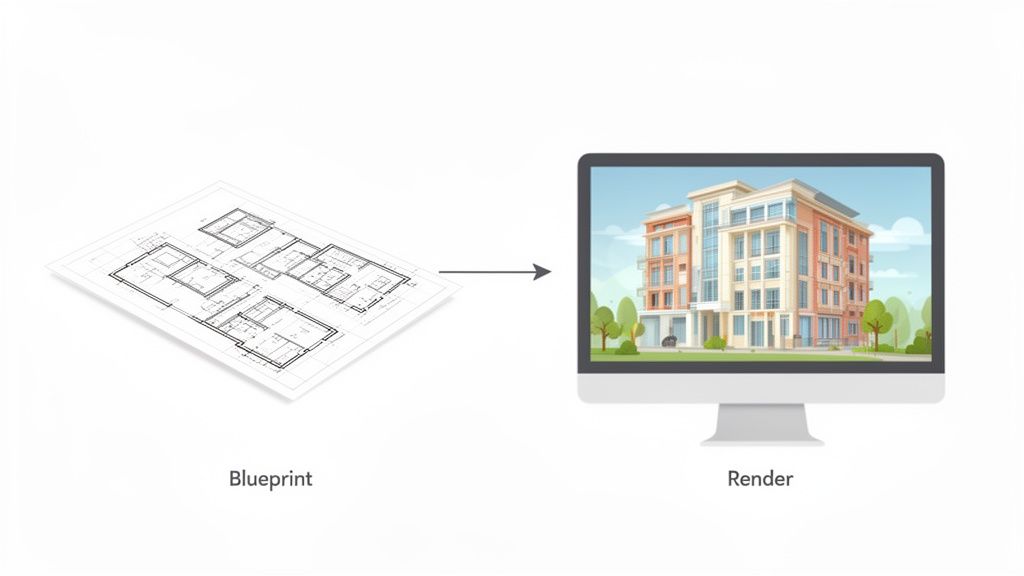
At its heart, architectural rendering acts as a bridge, connecting an abstract idea to something you can almost touch. It’s an essential communication tool that gives architects, designers, and their clients the chance to see and explore a space long before breaking ground.
Using specialized software, artists simulate everything from the morning light hitting a kitchen counter to the texture of a brick wall. The final images can be anything from a simple, stylized concept to a picture so realistic you’d swear it was a photograph.
To see the bigger picture, it helps to understand where rendering fits into the architectural design process. It's the critical step where complex plans become clear, engaging, and emotionally resonant for everyone involved.
For a quick overview, here's a simple breakdown of what architectural rendering is all about.
Architectural Rendering at a Glance
Aspect | Simple Explanation |
|---|---|
What it is | Creating realistic images of a building from design plans before it's built. |
Core Purpose | To turn abstract blueprints into a clear, visual preview of the final space. |
Key Elements | Simulates lighting, materials, textures, and furniture to create a lifelike scene. |
Who uses it | Architects, interior designers, real estate developers, and homeowners. |
End Product | Still images (2D/3D), animations, or interactive virtual walkthroughs. |
This table captures the essence, but the "why" behind it is where things get really interesting.
Why Is Rendering So Important?
Visualizing designs is nothing new. The concept goes all the way back to the 15th-century Renaissance when Filippo Brunelleschi figured out the rules of linear perspective. For the first time, artists could create convincing 3D scenes on a 2D surface—a breakthrough that helped slash project errors.
Today, rendering is more crucial than ever for a few key reasons:
It clarifies the design intent. A good rendering gets everyone on the same page, ensuring the architect's vision matches the client's expectation. No more guesswork.
It makes decision-making easier. Seeing a realistic preview helps you confidently choose materials, colors, and layouts before spending any money on construction.
It’s a powerful marketing tool. For real estate pros, renderings are invaluable for attracting buyers and securing investors before a project is finished.
It helps spot potential flaws. A rendering can quickly reveal issues—like an awkward layout or poor natural lighting—that are easy to miss on a flat floor plan.
Essentially, rendering transforms a technical document into a compelling story. It answers the question, "What will this space feel like?" by showing, not just telling. This visual confirmation builds confidence and gets everyone aligned.
Modern Tools and Accessibility
Not too long ago, creating high-quality renderings required expensive hardware and deep technical expertise. Thankfully, technology has made visualization much more accessible.
Today, professionals and even homeowners can use advanced software to bring their ideas to life. New tools focused on AI Home Design are making this even simpler, allowing users to generate beautiful visuals faster than ever before.
These advancements are changing the design game, making it possible for anyone to test out ideas and see their vision take shape. You can check out how these new AI-powered tools work by exploring the features on our platform at https://decor8.ai/features.
A Look at the Different Types of Architectural Renders
Not all architectural renderings are created equal. Just like an artist chooses between watercolor and oil paint to create a specific mood, designers have a whole toolbox of rendering styles to get their point across. The options run the gamut, from simple sketches all the way to fully immersive virtual tours.
Knowing the difference is key to understanding what's possible. The right choice always comes down to the project's stage, who you're talking to, and the story you're trying to tell. A quick concept for a homeowner's new deck won't need the same bells and whistles as a high-stakes marketing campaign for a downtown skyscraper.
This variety means there's a perfect tool for every job, ensuring the final vision is communicated with both precision and a bit of wow factor. Let's break down the most common types you'll come across.
From 2D Elevations to 3D Perspectives
The most straightforward renders are often two-dimensional. 2D elevations are essentially flat, face-on portraits of a building. Think of it as looking at one side straight-on, with no perspective. They’re fantastic for getting a clear look at facade materials, window placement, and exterior finishes. Adding color and texture brings these technical drawings to life.
When you step into the third dimension, you get 3D exterior renders—this is what most people picture when they hear the term. These images show a building from the outside, placed right in its future environment. They're indispensable for marketing materials and getting project approvals because they capture the building's scale, design, and connection to its surroundings, complete with realistic lighting and landscaping.
Then, of course, 3D interior renders take you inside. These visuals are all about capturing the feel and function of indoor spaces. They spotlight the little things—furniture, the texture of a countertop, how sunlight streams through a window. For anyone planning a remodel, seeing an AI Room Design render can be the aha! moment that solidifies a layout or color palette.
Specialized Views for a Deeper Look
Beyond the standard views, some renders offer unique angles for specific purposes.
Conceptual Renders: These are less about looking like a photograph and more about capturing a feeling or an idea. Often more artistic or stylized, they pop up in the early design stages to explore shapes and forms without getting lost in the weeds of every last detail.
Isometric and Axonometric Views: Picture looking down at a building from an angle, almost like a dollhouse with the roof off. These bird's-eye views are brilliant for showing how a floor plan flows or how different parts of a building connect in one easy-to-grasp image. You can see some great examples of these dynamic views in our gallery of AI-generated designs.
Animations and Walkthroughs: Why stick to a static image when you can have a video? A walkthrough simulates the experience of actually walking through a building, while a fly-through gives you an aerial tour. They're incredibly powerful for creating an emotional connection and giving clients a genuine sense of what it will feel like to be there.
The leap from 2D drawings to immersive 3D visualization didn't happen overnight. It was a gradual evolution, pushed forward by major tech breakthroughs that have since defined how modern architecture is done.
The Digital Shift in Rendering
The journey to today’s stunningly realistic images really got started in the mid-20th century. While the first concepts were drawn by hand, the 1960s saw the birth of 3D modeling, largely thanks to William Fetter's work at Boeing. By 1963, a program called Sketchpad, created by Ivan Sutherland, laid the groundwork for editing designs in real-time.
But the real explosion happened in the 1990s with software like Autodesk 3ds Max and V-Ray, which introduced advanced lighting techniques that slashed rendering times from days down to hours. In fact, V-Ray alone was credited with boosting the world's architectural visualization output by 300% by the year 2000.
This rapid progress has made photorealism the industry standard, letting designers craft images that are nearly impossible to tell apart from actual photographs. Each type of render, from a simple 2D plan to a detailed 3D walkthrough, now plays a crucial role in bringing architectural dreams into reality.
How a Blueprint Becomes a Realistic Image
So, how do you get from a flat, technical blueprint to an image so realistic you could almost step into it? It's a bit like building a house, just in the digital world. The process is a careful, step-by-step journey where each layer adds another piece of the puzzle, bringing an architect’s vision to life.
It all starts with a simple line drawing and ends with a picture that feels real. Breaking down the workflow takes the mystery out of it and shows how raw data is transformed into a compelling, emotional image.
This visual shows the evolution from basic 2D drawings to the fully immersive experiences we can create today—a core concept in modern rendering.
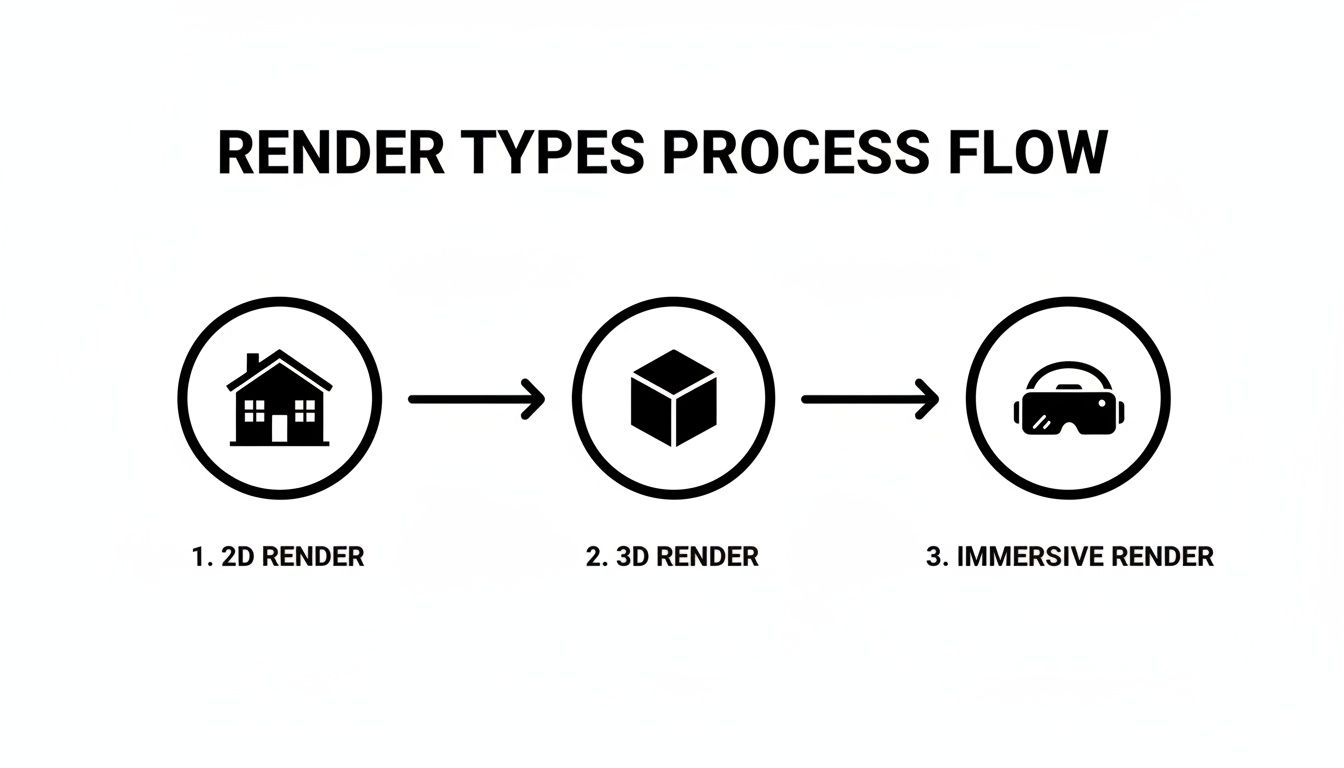
As you can see, the jump from a simple elevation to an interactive VR walkthrough is huge, showcasing the incredible depth and complexity artists can now achieve.
Step 1: Creating the 3D Model
First things first, you need a 3D model. This is the digital skeleton of the project. Using software like SketchUp or Revit, an artist takes the 2D floor plans and elevations and pulls them up into a three-dimensional shape.
This isn't a detailed model just yet. It's the basic form—walls, floors, windows, and a roof. Getting this foundational geometry right is absolutely critical, as everything else is built on top of it.
Step 2: Applying Textures and Materials
With the digital frame built, it's time to give it some skin. In this stage, artists apply textures and materials to every single surface. A plain gray box representing a wall becomes a rustic brick facade. A flat plane for the floor turns into gleaming hardwood.
This is where the magic really starts. High-quality textures that mimic real-world surfaces—the subtle grain in a piece of wood, the cool reflection of steel, the texture of concrete—are what begin to trick the eye into believing the image is real.
An architectural rendering is more than just a picture; it’s a simulation. The goal is to digitally replicate how light, materials, and space interact in the real world to evoke a specific feeling or mood.
Step 3: Setting Up the Lighting
If I had to pick the most important step for realism, it would be lighting. Hands down. Light sets the mood, defines the time of day, and sculpts the architectural forms. Artists carefully place digital light sources to simulate everything from the warm afternoon sun pouring through a window to the soft glow of a bedside lamp.
It’s a meticulous process of tweaking the intensity, color, and direction of each light to cast believable shadows and create accurate reflections. Good lighting can make a room feel cozy and inviting or bright and airy. It’s the primary storytelling tool in any render.
Step 4: The Rendering Phase
Now that the model is built, textured, and lit, it’s time to hand it over to the computer. The rendering phase is the heavy lifting, where the software calculates how every single ray of light would bounce around the scene, pixel by pixel, based on all the data it's been given.
This can be an incredibly intense process, sometimes taking just a few minutes, but often lasting for many hours depending on the image size and complexity. The final output is a flat, 2D image of the 3D world we've just built. For a faster approach, especially for early concepts, it's helpful to see how you can turn a sketch into a 3D design with newer, AI-powered tools.
Step 5: Polishing in Post-Processing
The render is done, but the work isn't over. The final touch is post-processing. Most artists will take the raw render into a program like Adobe Photoshop to add that last 10% of polish that makes all the difference.
This is where the image is truly perfected. In post-processing, an artist might:
Adjust the color balance, contrast, and brightness to make the image pop.
Add subtle atmospheric effects, like a slight lens flare or a touch of haze.
Place people, cars, or landscaping to bring the scene to life and give it a sense of scale.
This stage is what separates a good render from a breathtaking one. Interestingly, new AI Room Design tools are beginning to handle many of these steps automatically, blending modeling, texturing, and lighting into one almost-instant process. This is making professional-looking results more accessible than ever before.
How AI Is Reshaping Architectural Visualization
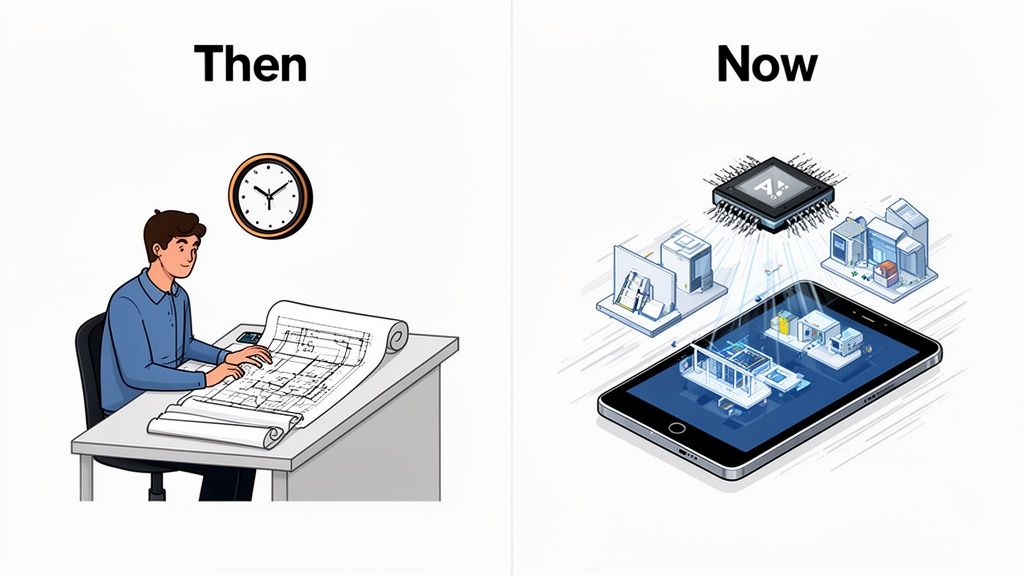
The world of architectural rendering is changing in a big way, and artificial intelligence is at the heart of it. What used to be a slow, technical, and frankly expensive process is quickly becoming faster, smarter, and something anyone can do. This isn't just a small step forward; it's completely rewriting the rules of how we bring designs to life.
For a long time, creating high-quality renderings was a job reserved for specialists with beefy computers and years of training. AI is tearing down those walls. Tasks that once took days or even weeks of intense work can now be done in minutes.
The Old Way Versus The New Way
To really get a feel for the change, think about how rendering used to work. It was a long, drawn-out process: building a detailed 3D model, carefully applying textures and materials, setting up complex lighting, and then waiting—sometimes for hours—for the final image to render. After all that, you still had to manually touch it up in another program.
Now, picture this. You sketch a rough idea on a tablet or snap a photo of an empty room. You upload it, type a few words describing the style you want, and bam. Within seconds, you have a fully furnished, photorealistic image ready to go. That’s what modern design tools can do.
The real magic is the shift from manual labor to automated creativity. With traditional tools, you have to build every single detail. With AI, you just give it your idea, and it intelligently fills in all the blanks to create a polished, complete visual.
This new way of working opens up powerful design tools to everyone, from homeowners and real estate agents to designers who aren't 3D modeling experts.
Key AI Innovations In The Field
A few key AI-driven technologies are leading this charge, making professional visualization more approachable than ever.
Sketch-to-Render Conversion: You can now take a simple hand-drawn sketch and have an AI instantly turn it into a detailed 3D rendering, complete with realistic textures and lighting.
AI Virtual Staging: Real estate pros can upload photos of empty rooms and have them virtually filled with beautiful furniture in seconds. This helps potential buyers see a property's true potential.
Generative Interior Design: Want to see what your living room would look like in a dozen different styles? You can explore countless design ideas just by describing what you’re looking for. To get started, you can find some great examples of AI interior design prompts to spark your creativity.
Image Enhancement: AI can also work wonders on existing images. It can sharpen low-resolution photos, swap a gloomy sky for a sunny one, or even add realistic lighting to a dull picture.
A Look at Traditional Rendering vs AI-Powered Rendering
To see just how much things have changed, it helps to put the two approaches side-by-side. The old, manual way was powerful but slow and expensive. The new AI-driven method is built for speed, iteration, and accessibility.
Feature | Traditional Rendering | AI-Powered Rendering |
|---|---|---|
Process | Manual 3D modeling, texturing, and lighting | Automated generation from sketches, photos, or text |
Time | Days or weeks per project | Seconds or minutes per image |
Cost | High, requiring specialized software and labor | Low cost, often subscription-based |
Skill Level | Requires expert-level 3D artist skills | Accessible to beginners and non-designers |
Flexibility | Changes are time-consuming and costly | Easy to generate endless variations quickly |
The bottom line is clear: AI isn't just a new tool; it's a completely different way of thinking about design visualization. It prioritizes speed and creative exploration, allowing ideas to flow freely without technical hurdles.
Making Great Design Accessible To Everyone
This leap in technology has some huge real-world effects. The architectural visualization market has ballooned from $2.5 billion in 2015 and is on track to hit over $12 billion by 2025. It’s no wonder, considering that today, a staggering 95% of architectural presentations rely on 3D renderings.
These visuals are crucial for everyone. Interior designers tackling millions of renovations each year and real estate agents who see virtually staged listings sell up to 73% faster both depend on them. The shift to AI-powered platforms makes professional-grade visuals available to all, sparking creativity without needing to build expensive physical models first.
This means a homeowner can instantly see how a new kitchen will look before committing, an agent can market a vacant house as a warm, inviting home, and an architect can whip up multiple concepts for a client right before a meeting. It’s a true game-changer.
Who Really Uses Architectural Rendering? (And Why You Should Care)
Architectural rendering isn't just some fancy tool for big-shot architects anymore. It's become a go-to visual language for a surprisingly diverse group of people, solving very real problems. Whether it's a couple nervously planning their first kitchen remodel or a developer trying to land millions in funding, renderings bring clarity and confidence to a project.
Think of it as the bridge between a blueprint and reality. It takes abstract ideas and makes them tangible, so everyone involved can actually see what they're talking about. Without it, you're just guessing, and that's a recipe for costly mistakes and mismatched expectations.
For Homeowners and DIYers
If you're a homeowner, architectural rendering is all about taking back control. Let's be honest, planning a renovation is stressful. You’re staring at tiny paint swatches and confusing floor plans, trying to imagine how a whole new kitchen or living room layout will feel. It’s a lot to hold in your head.
This is where rendering, especially with today's easy-to-use tools, completely changes the game. You don't have to just hope the design works—you can actually see it first.
Modern platforms for AI Home Décor let you upload a picture of your room and see it instantly reimagined. This simple step helps you answer those nagging questions before you spend a dime:
Will that bold, dark green paint make the room feel like a cave?
Is that giant sectional sofa going to overwhelm the living room?
How will those new white cabinets really look next to my existing floors?
By giving you a realistic sneak peek, rendering gets rid of all that "what if" anxiety. It turns a risky investment into a confident decision and helps you avoid those expensive, "I wish I'd known..." moments later on.
For the average person, rendering isn't about technical perfection. It's about personal peace of mind. It’s like test-driving your design ideas in a totally risk-free space to make sure you end up with a home you genuinely love.
For Real Estate Professionals
In the cutthroat world of real estate, you never get a second chance to make a first impression. An empty house feels cold and sterile, making it tough for buyers to emotionally connect or picture themselves living there. This is a huge hurdle to a sale. Architectural rendering, and specifically virtual staging, tackles this problem head-on.
Agents and marketers use renderings to breathe life into vacant listings, turning them into warm, welcoming spaces. According to a study by the National Association of Realtors, a whopping 82% of buyers' agents confirmed that staging helps a buyer see a property as their future home.
The results speak for themselves:
Homes Sell Faster: Virtually staged properties don't just look better online; they move quicker. Some reports show that staged homes can spend 73% less time on the market.
Offers Get Higher: When buyers can form an emotional bond and see a home's true potential, they're often willing to pay more for it.
Listings Stand Out: Let's face it, beautiful renderings grab way more attention online than photos of empty, beige rooms ever will.
Instead of shelling out thousands for physical furniture rentals, agents can now use AI-powered tools to virtually stage an entire house in minutes, for a tiny fraction of the cost. It allows them to market any property effectively and help buyers see beyond the empty walls to the home it could be.
For Architects and Designers
Of course, architects and designers are the original power users of rendering, and for them, it's as essential as a pencil and paper. It’s their primary way of communicating from the first sketch to the final build, making sure the client, the contractor, and the engineer are all looking at the same vision.
For these pros, rendering does a few critical jobs. It helps them sharpen their own creative ideas, letting them play with different materials, lighting, and layouts to get things just right. But more importantly, it helps them sell that vision to others.
A stunning, photorealistic rendering can be the key to getting a client’s sign-off, securing permits from a tough planning board, or attracting investors. It projects professionalism and leaves zero room for error. By catching potential flaws—like a window that looks out onto a brick wall or a hallway that's too narrow—in the digital stage, renderings prevent expensive, time-sucking fixes during construction. That foresight is what separates a smooth project from a nightmare.
Common Questions About Architectural Rendering
As you start to wrap your head around architectural rendering, it’s natural for a few questions to pop up. The world of digital design can seem a little intimidating at first, but once you get a handle on the practical side of things—like cost, time, and tools—it all becomes much more approachable.
Let's walk through some of the most common questions people have when they're ready to bring an architectural vision to life.
How Much Does Architectural Rendering Cost?
This is almost always the first thing people ask, and the honest answer is: it depends. A lot. If you go the traditional route and hire a specialized artist or a creative agency, you're looking at a pretty significant investment. A single, high-quality image can easily run anywhere from $400 to over $2,000. The final price tag is tied to the complexity of the design, the level of detail you need, and the artist’s reputation.
But the new wave of AI-powered platforms has completely shaken up this old pricing model. Instead of paying a huge fee for a single image, many of these tools run on affordable subscription plans. This means a homeowner or real estate agent can now generate dozens of different design concepts for a small monthly fee, finally putting professional-grade visuals within everyone's reach.
What Software Is Used for Rendering?
For years, the industry has leaned on a handful of powerful, highly specialized programs that take serious dedication to master. Software like 3ds Max, V-Ray, Revit, and SketchUp are the go-to workhorses for professional 3D artists and architects. They give you an incredible amount of control, but they also come with a steep learning curve and expensive licenses.
Now, there's a totally different class of tools designed for simplicity. Platforms built for AI Interior Design let you skip the complicated 3D modeling process entirely. You can just upload a photo or a basic sketch and let the AI do the heavy lifting, creating stunningly realistic images right from your web browser or phone.
The real game-changer isn't just the software—it's the entire workflow. Traditional tools force you to build a scene from the ground up, piece by painful piece. AI tools let you start with a photo of a real room or a simple idea and jump almost instantly to a finished concept.
How Long Does a Single Render Take?
With the traditional method, the timeline can be surprisingly long. Once the initial discussions are done and the 3D model is built, the rendering itself—the part where the computer actually generates the final image—can take anywhere from a few hours to an entire day. When you add in time for feedback, revisions, and final touch-ups, getting that one perfect image from a studio can take several days or even weeks.
This is another area where AI offers an incredible leap forward. AI rendering platforms work in what feels like real-time. You can upload your photo, type in what you want to see, and get a high-quality rendering back in under a minute. That kind of speed lets you experiment freely, exploring dozens of ideas in the time it used to take just to get a first draft from an artist.
Can I Create an Architectural Rendering Myself?
Not too long ago, the answer would have been a hard "no"—unless you were prepared to spend hundreds of hours learning complex software. The technical skills required were just too much for the average person.
Thankfully, that's no longer true. The biggest shift in architectural visualization today is that it's open to everyone. AI-powered tools have made it possible for anyone, from a DIY homeowner planning a weekend project to a busy real estate agent, to create their own beautiful, realistic renderings. You don't need to be a 3D expert anymore to see what a new room layout would look like, test out different paint colors, or virtually stage an empty house. If you have an idea and a smartphone, you have everything you need to start creating.
For more detailed answers to your questions, you can explore our comprehensive FAQ page on architectural rendering.
Ready to bring your own design ideas to life in seconds? Decor8 AI is an all-in-one AI interior design platform that transforms your room photos into photorealistic concepts. Whether you're a homeowner planning a remodel, a real estate agent staging a listing, or a designer looking for inspiration, our tools make it fast, easy, and affordable. Try Decor8 AI for free today and see your vision become a reality.
Comments