
Your Guide to the Ultimate AI Room Design App
We’ve all been there—staring at a room that just doesn't feel right. An AI room design app is like having a personal interior designer on your phone. You just snap a picture of your space, and it uses artificial intelligence to instantly whip up new design ideas, furniture arrangements, and color palettes.
See Your Dream Room in Seconds
It’s a familiar feeling. You know your room needs a refresh, but picturing how it will all come together is tough. Will that deep blue paint make the room feel cozy or cramped? Does that sleek, modern armchair clash with your classic-style living room? This kind of doubt often leads to costly mistakes or, worse, just giving up and doing nothing at all.
An AI room design app takes all that guesswork out of the equation. It's the perfect bridge between what's in your head and what's possible in your home. This is modern AI Room Design made simple.
Instead of spending weekends taping paint swatches to the wall or dragging furniture around, these tools let you see changes instantly. A platform like Interior Deco AI, for example, demonstrates just how fast you can cycle through dozens of ideas, turning a rough concept into a concrete visual. This isn't just for the pros—it's for anyone with an idea.
Who Is This For?
The beauty of this technology is how useful it is for so many different people, helping them make smarter, more confident design choices.
Homeowners: Planning a quick makeover? You can try out hundreds of styles and layouts without lifting a hammer.
Renters: Figure out the best way to arrange your furniture and explore decor ideas that won’t cost you your security deposit.
Real Estate Agents: Use AI Virtual Staging to stage empty properties. It helps buyers see a house as a home and connect with it on an emotional level.
DIY Enthusiasts: Bring your unique vision to life. You can play around with everything from Scandinavian minimalism to bold Art Deco, all from your couch.
At its heart, AI-powered design is about making creativity accessible to everyone. It hands you the tools to confidently visualize your ideal space, putting professional-grade AI Interior Design at your fingertips 24/7.
These apps make complicated decisions simple. For a deeper dive, you can learn more about how to see paint colors in my room using AI visualization tools and see just how practical they are. With an AI room design app like Decor8 AI, your creative ideas become a realistic plan in just a few seconds.
How AI Apps Understand and Redesign Your Space
Ever wonder how an AI room design app can look at a simple photo of your living room and figure out exactly what to do with that awkward, empty corner? It’s not magic, but it feels pretty close. Think of it like a highly-trained digital artist who instantly gets the lay of the land.
First, the AI "studies the canvas," which is the photo you upload. It carefully picks out all the important stuff—walls, doors, floors, and any furniture you already have. This is all about understanding the basic bones and geometry of the room. Once it has a solid map of your space, it listens to your creative brief. That could be a simple style choice like 'Coastal' or a specific command you type in.
Then, the fun begins. Armed with this spatial awareness and your design direction, it starts "painting" new possibilities. The AI generates incredibly realistic new layouts, complete with accurate lighting, shadows, and textures that all respect the room's original perspective. This core process is what makes AI Home Design such a game-changer.
The Technology Behind the Vision
So, what's happening under the hood? An AI room design app is powered by a few key technologies working together seamlessly. Computer vision is what allows the app to "see" and identify objects, while deep learning models—trained on millions of interior design images—give it an understanding of what looks good.
This powerful combination means the AI can make smart suggestions that are both beautiful and practical. It won't, for example, stick a giant bookshelf in front of a door that needs to open. It analyzes the depth and dimensions of the room to make sure every new piece of furniture fits realistically, giving you a result you can actually trust and feel inspired by. To see how AI is foundational to the AR and VR experiences that help us visualize these spaces, check out this great read on AI-Driven Augmented Reality.
This simple workflow turns a frustrating design problem into an exciting creative process. You go from feeling stuck to seeing your vision come to life in just a few clicks.
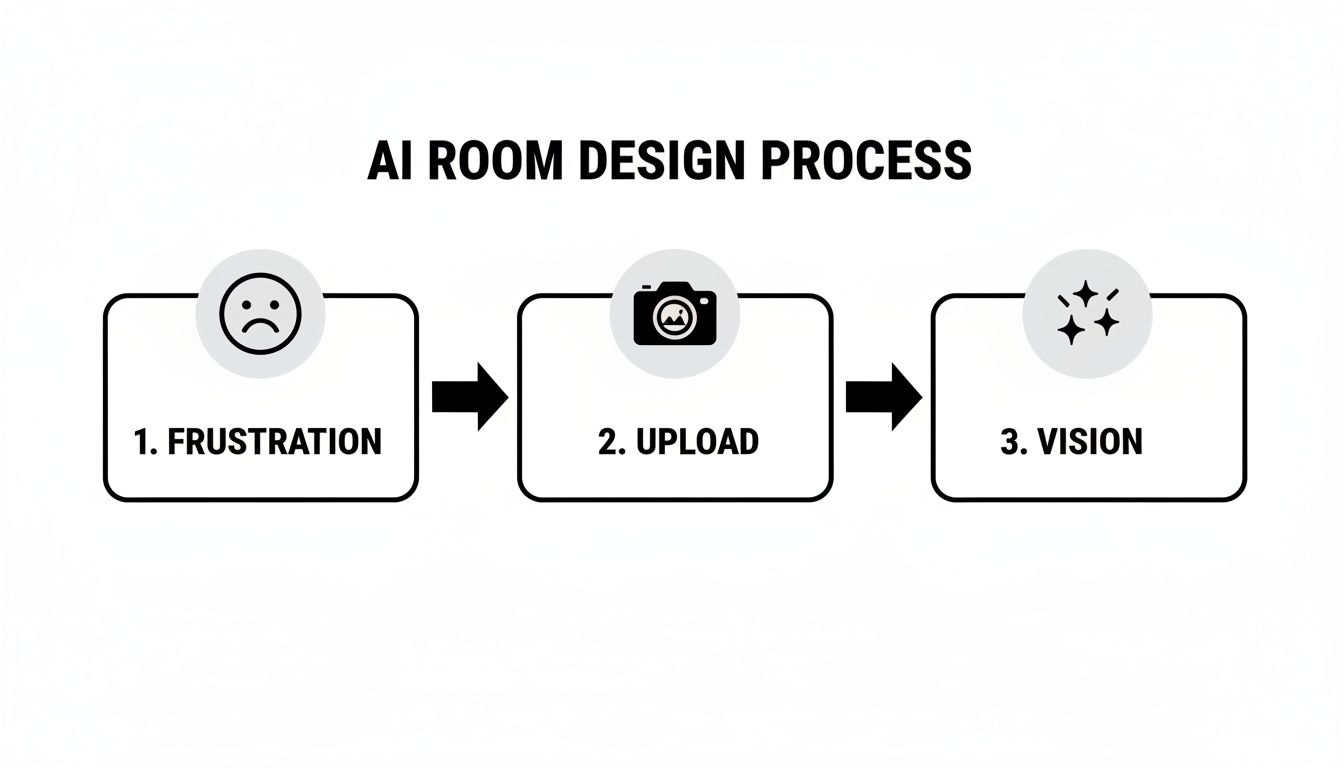
The real takeaway here is how the technology transforms a challenge into a solution, breaking it down into a few simple steps anyone can follow.
From 2D Photos to 3D Realities
This blend of technologies is fueling some serious growth. The interior design software market is on track to hit USD 12.86 billion by 2031, with 3D platforms taking up more than half of that market. It’s a clear signal that people are moving away from flat, 2D floor plans and toward the kind of immersive 3D models that Decor8 AI excels at creating.
The true power of a modern AI room design app is its ability to turn a flat, lifeless photo into a dynamic, three-dimensional space you can almost walk into. It doesn't just paste new objects on top of an image; it rebuilds the entire scene with a deep understanding of depth, light, and texture.
Platforms like Decor8 AI are pushing this even further. They can tackle complex details like reflections in a mirror, use custom textures from major paint brands, and even generate a full 3D view from nothing more than a hand-drawn sketch. You can get a closer look at the nuts and bolts by exploring how Decor8 AI for interior design works. This incredible level of detail makes the final render more than just a cool idea—it's a reliable blueprint for your real-world space.
5 Must-Have Features in a Top-Tier AI Room Design App
Let's be honest—not all AI design apps are created equal. While the tech behind them is fascinating, it’s the features that make the difference between a fun gimmick and a serious design partner. Knowing what to look for helps you pick the right ai room design app that can actually deliver the vision you have in your head.
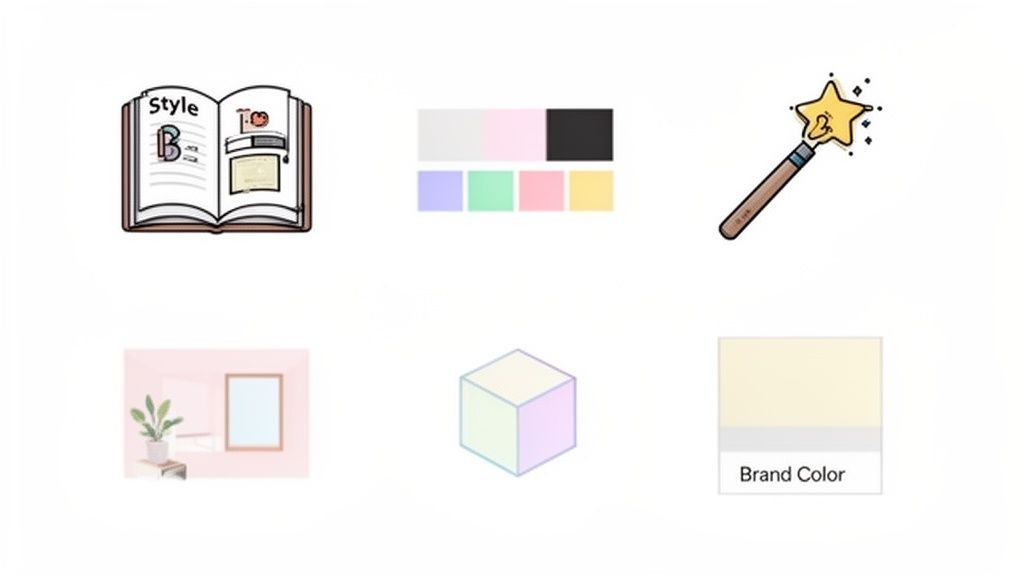
A great app starts with a solid style library. You want a platform loaded with a wide range of presets, from the clean lines of Scandinavian and Mid-Century Modern to the eclectic vibes of Bohemian and Art Deco. This gives you a fantastic starting point to explore different looks with just one click.
But real creativity happens when you can steer the ship yourself. The best tools let you go beyond templates with custom text prompts. Think of it as telling the AI exactly what you want, like "add a rustic wooden coffee table and a plush navy blue sofa." This is where the app stops being a preset machine and becomes a true co-creator for your AI Home Décor vision.
What to Look For: The Core Toolkit
Beyond just picking styles, a handful of features are absolutely essential for a smooth and practical design process. These are the tools that solve real-world problems and give you genuine control over your project.
Object Removal: This is a total game-changer. It lets you digitally empty a room of its current furniture and clutter, giving you a clean slate to build your new design from.
Real Brand Colors: The ability to specify paint colors from brands like Sherwin-Williams or Benjamin Moore is critical. It bridges the gap between the screen and reality, ensuring your digital render looks just like it will on the wall.
High-Resolution Outputs: Your final images need to look sharp and professional. The app must let you download high-quality files, which is non-negotiable for real estate listings, client presentations, or marketing materials.
The most effective AI design apps combine a rich, curated library with powerful, flexible customization tools. The goal isn't just to show you an idea; it's to help you visualize, refine, and perfect your idea with precision and ease.
Going Pro: Advanced Tools That Raise the Bar
While the basics get the job done, premium platforms like Decor8 AI offer advanced features that open up a whole new world of creative and professional possibilities. These are the tools that turn a simple app into an indispensable part of your workflow.
To see what the pros are using, check out this breakdown of the top 5 AI features every interior designer should use.
One of the most impressive advanced tools is sketch-to-render conversion. You can literally upload a rough, hand-drawn floor plan, and the AI will transform it into a stunning, photorealistic render. It’s an incredibly powerful feature for architects, builders, and anyone starting a project from the ground up.
Another is the "touch-up" feature for unfinished spaces. Picture a room mid-construction with exposed wires and bare drywall. A powerful ai room design app can look past the mess and generate an image of the beautifully finished room, helping clients and investors see the end goal long before the dust settles.
To make the distinction clearer, here’s a quick comparison of what you can expect from a basic app versus a more advanced platform.
Feature Comparison: Basic vs. Advanced AI Room Design Apps
Feature | Basic AI App | Advanced Platform (e.g., Decor8 AI) |
|---|---|---|
Style Selection | Limited pre-set styles (e.g., Modern, Traditional). | Extensive library of styles plus custom text prompts for unique looks. |
Object Editing | Basic or no object removal capabilities. | AI-powered object removal, replacement, and addition with high accuracy. |
Color Customization | Generic color picker. | Integration with real-world paint brand colors (e.g., Sherwin-Williams). |
Input Methods | Photo upload only. | Photo upload, hand-drawn sketch-to-render, and detailed text prompts. |
Output Quality | Standard or low-resolution images. | High-resolution (up to 8K) outputs suitable for professional use. |
Specialized Tools | None. | "Touch-up" for unfinished spaces, API access for developers, virtual staging. |
Ultimately, the right tool depends on your goals. While a basic app is great for quick inspiration, a professional-grade platform offers the depth and precision needed for serious design work, real estate marketing, and client-facing projects.
A Practical Walkthrough: From Photo to Perfect Room
Talking about the features of an AI room design app is one thing, but seeing it work its magic is what really makes the concept click. Let's walk through three real-world scenarios to show how these tools can take a simple photo or idea and turn it into a stunning, professional-quality visual. Each example will show you just how a platform like Decor8 AI makes design accessible to everyone, from homeowners to seasoned pros.
For the DIY Homeowner: A Weekend Room Makeover
Picture this: you're staring at the same tired living room you've had for years. You’re ready for a change but feel completely stuck, overwhelmed by all the choices. This is where an AI room design app steps in to make the process simple and, best of all, risk-free.
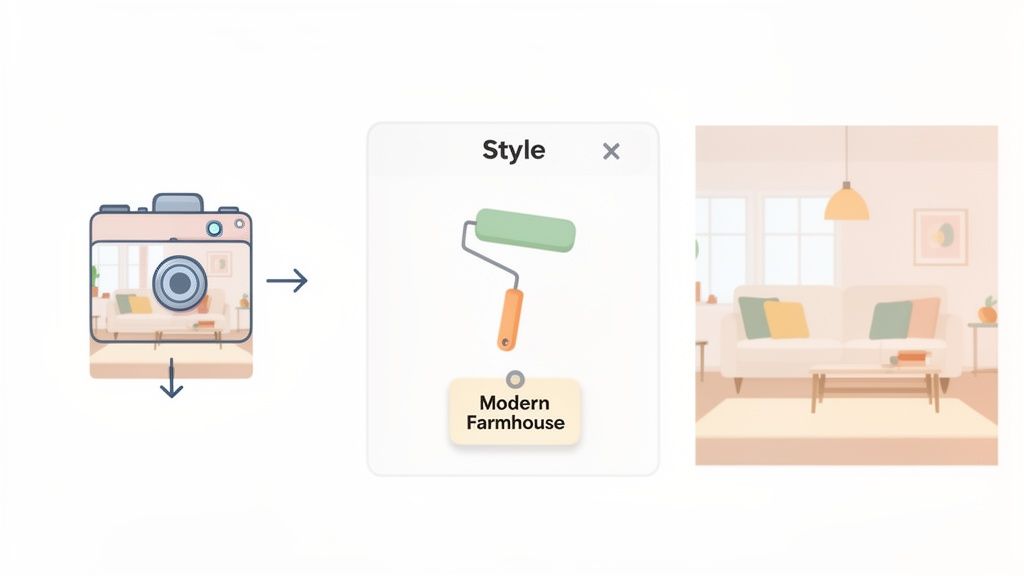
Upload a Photo: Just snap a clear, well-lit picture of your living room and upload it to the app.
Choose a Style: You can then browse through a library of styles and pick one that catches your eye, like ‘Modern Farmhouse.’ In seconds, the AI re-imagines your space with a fresh neutral palette, warm wood accents, and comfy textiles.
Refine the Details: What if the first draft is close, but not quite right? No problem. Just type a simple prompt like, "change the sofa to a cream-colored sectional and add a black metal floor lamp." The AI will instantly tweak the design based on your feedback until it matches the vision in your head.
This whole process can take just a few minutes, saving you from weeks of agonizing and buying endless paint samples. If you want to try it yourself, you can start experimenting with Decor8 AI’s free interior design tool to quickly redesign your room.
For the Real Estate Professional: AI Virtual Staging
Now, let’s switch gears. Imagine you're a real estate agent trying to sell an empty house. Vacant rooms often feel cold and impersonal, making it tough for buyers to see themselves living there. That’s where AI Virtual Staging becomes a game-changer.
The workflow is just as easy, but it solves a huge business problem. You simply upload photos of the empty rooms, pick a style that fits the home—like ‘Contemporary’ or ‘Scandinavian’—and the app fills the space with photorealistic furniture, art, and decor. The AI is smart enough to handle all the lighting and shadows, so the staged images look completely believable.
The results speak for themselves. This isn't just about making listings look pretty; it’s about driving sales. Properties with virtual staging can sell up to 73% faster than empty ones. And using AI can slash traditional staging costs by over 90%.
For the Architect or Builder: From Sketch to 3D Concept
Finally, think about an architect or builder who starts with nothing more than a rough floor plan sketched on a piece of paper. An advanced AI room design platform can take that basic drawing and instantly transform it into a compelling, photorealistic 3D concept.
All they have to do is upload the sketch. The AI interprets the lines and generates a fully realized 3D render, complete with perspective photos that make you feel like you're standing right there in the room. It can also create isometric views to give clients a clear, top-down look at the layout. This technology cuts the concepting phase down from days of tedious manual modeling to just a few minutes of AI processing—a powerful tool for winning over clients and investors early on.
The Business Case for AI-Powered Design
Beyond a fun tool for personal makeovers, an ai room design app offers a serious return on investment for professionals. This isn't just about making things look pretty; it's a business accelerator. It tightens up workflows, helps close sales, and gives you a real competitive edge, whether you're a designer, agent, or developer.
And the market is catching on—fast. The AI interior design sector is expected to hit USD 7.2 billion by 2033, a surge driven by professionals in real estate and commercial design who need to work smarter, not harder. This explosive growth is proof that these tools are transforming tasks that once took weeks into something you can knock out in minutes. You can dig into more details about this expanding market on htfmarketinsights.com.
Ultimately, this shift is changing the way pros get things done, turning long, drawn-out processes into quick, profitable results.
For Designers: Get Your Time Back
If you're an interior designer, you know that time is money. An AI Interior Design tool like Decor8 AI completely changes the game during the initial concept phase. Forget spending days building mood boards or waiting on manual renders. Now you can generate a dozen photorealistic options for a client right there in the meeting.
This kind of speed means you can take on more projects at once and shift your focus to the parts of the job that really matter.
Better Client Management: Spend less time tweaking renders and more time building relationships.
Deeper Creative Exploration: Test out that wild idea without sinking hours into a concept that might not fly.
Instant Revisions: When a client says, "Can we see it in blue?" you can show them on the spot.
By letting the AI handle the heavy lifting upfront, you’re free to focus on the creative strategy and personal touch that clients are actually paying for.
For Real Estate Agents: Sell Homes Faster
In real estate, a picture isn't just worth a thousand words—it can be worth thousands of dollars. Empty rooms are tough to sell because most buyers just can't picture themselves living in a blank box. AI Virtual Staging bridges that gap perfectly. It fills an empty listing with beautiful, realistic furniture that helps a buyer make an emotional connection.
The business impact is immediate and clear. Agents who use virtual staging not only sell homes faster but often get better offers because the property’s true potential shines through. It’s far cheaper than physical staging and often works even better. We've written a whole guide on how to use AI for real estate to boost marketing and sales.
When you help buyers truly see themselves in a space, you turn a hard-to-sell listing into a home they can’t wait to own.
For Developers: Stand Out from the Crowd
If you're a developer or builder, integrating an ai room design app into your process with an API is a game-changer. Imagine letting a potential buyer visit your website and start customizing the finishes, colors, and layouts of a home before a single foundation has been poured.
That’s not just a cool feature; it’s a powerful sales tool. Offering this kind of interactive experience sets you apart in a saturated market. It allows you to showcase your projects in a personal, dynamic way that helps lock in pre-sales and establishes you as a market leader. It's a direct path to more revenue and a much stronger brand.
Common Questions About AI Room Design
Diving into AI-powered design tools for the first time usually sparks a few questions. It's only natural to be curious about how this new technology works and what it can really do. Let's walk through some of the most common things people ask when they're getting started with an ai room design app.
The whole idea is to help you feel confident enough to jump in, start experimenting, and see firsthand how platforms like Decor8 AI are making great design accessible to everyone.
How Realistic Are the Designs AI Creates?
This is usually the first thing on everyone's mind, and the answer is: surprisingly realistic. Top-tier platforms like Decor8 AI can produce photorealistic images because they’ve been trained on millions of high-quality interior photos. This massive visual library helps them understand and replicate tricky details like lighting, shadows, and the texture of different materials.
The technology is now so good it can render specific paint colors from major brands, place furniture that looks right from the room's perspective, and even add subtle touches like reflections in a mirror. Honestly, the final images are often so good you can't tell them apart from a professional photograph. That makes them perfect for showing a client, beefing up a real estate listing, or just planning your own renovation.
Can I Use My Own Ideas or Am I Stuck With Templates?
Absolutely, you can use your own ideas. While style templates are a fantastic starting point, the best apps give you the keys to the car. A good ai room design app lets you use plain English to tell it what you want.
For instance, you can just type, "add a green velvet armchair and a brass floor lamp in the corner." The AI figures out what you mean and fits those pieces right into your room's design. This means you can break free from the presets and build your unique vision, one detail at a time. It feels less like filling out a form and more like having a creative conversation.
The real magic of modern AI Home Design is that it acts like a creative partner. It offers inspiration with templates, but it truly comes alive when you start guiding it with your own specific ideas.
Is an AI Room Design App Hard to Use?
Not at all. One of the main goals of these tools is to make design easy and even fun, no matter your skill level. You don't need any background in complex 3D modeling software to get amazing results.
The entire process is built to be simple:
Upload a photo of your room.
Pick a style you like or just describe the look you're going for.
Let the AI generate a bunch of ideas in just a few seconds.
Platforms like Decor8 AI are designed with clean, simple interfaces for both the web and your phone, so trying out different looks for your home is totally risk-free and enjoyable.
How Does AI Virtual Staging Work?
AI Virtual Staging is all about taking an empty room and making it feel like a lived-in home. When you upload a picture of a vacant space, the AI first scans the photo to understand the room’s layout, size, and where the light is coming from.
Next, you choose a design style, like 'Mid-Century Modern' or 'Coastal.' The AI then fills the room with furniture and decor that not only match that style but also fit the scale of the space perfectly. It even adds realistic shadows and lighting so every object looks like it’s really there. In just a few clicks, a cold, empty listing becomes a warm, inviting home that helps buyers imagine themselves living there.
Ready to see how an ai room design app can transform your space? Explore all these features and more with Decor8 AI. Start creating your dream room for free today!
Comments